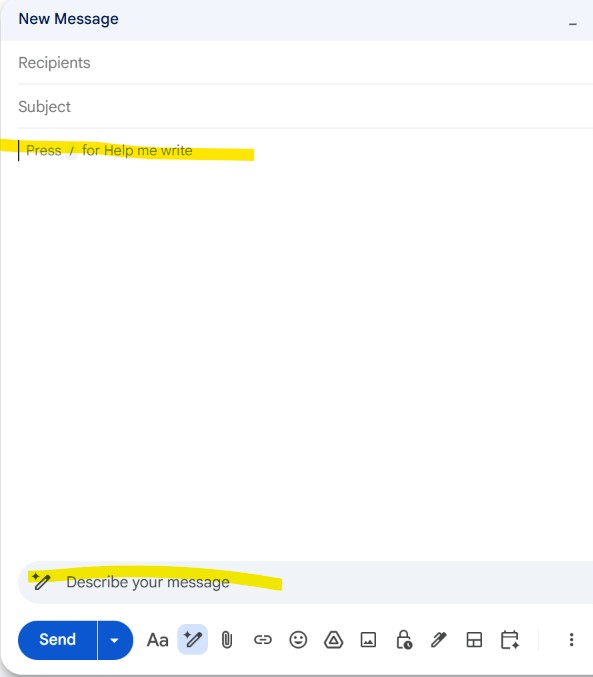
Hello. I just set up Text Blaze on my Chrome broswer.
But using a forward slash in Gmail activates the AI recommended message (see screenshot) . Anything I type after the forward slash appears in the Describe Your Message field. There's no snippet
Anyway around this?
Hello,
There is a way around this! Shortcuts in Text Blaze can be written with initial characters other than / so that you can create snippets that activate when / isn't an accessible key. For example, a snippet activating on /snippet can instead be written to activate on .snippet. You can change this by modifying the shortcut in the Snippet Editor.
You can read more about shortcut conventions here.