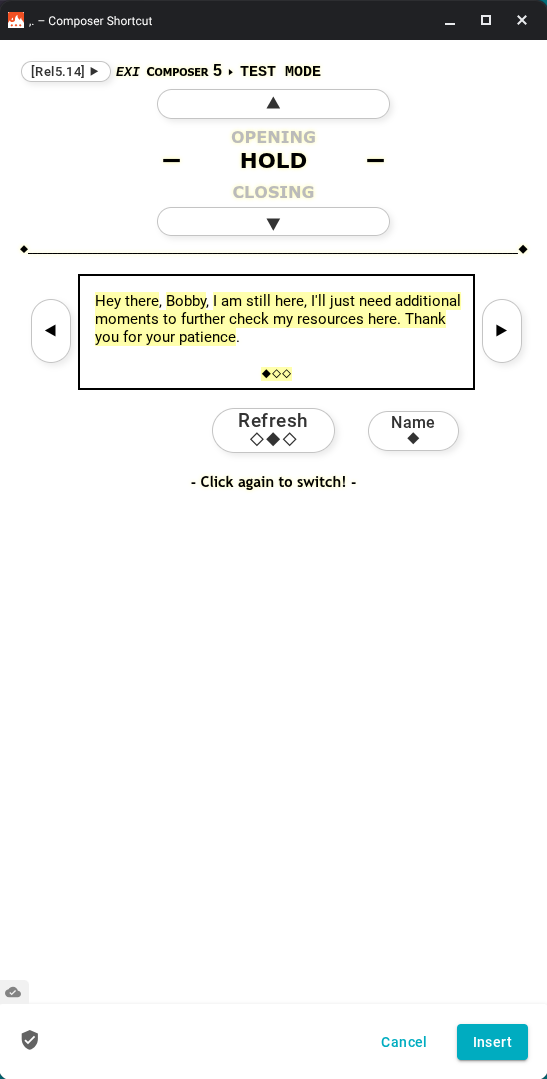
When making a snippet, I want the ability to turn off the yellow highlighting of Dynamic Data, so that users have a more clean, less cluttered form to work with.
A lot of times, the user just needs the data presented - they do not need to know - or simply do not care - that it is dynamic. It is completely irrelevant information to them. Also, with the recent awesome enhancement to the error messages deployed that allow for Info, Warning, and Success messages...all with their own color, we have found that having the yellow highlighting of Dynamic Data fields is a bit much.
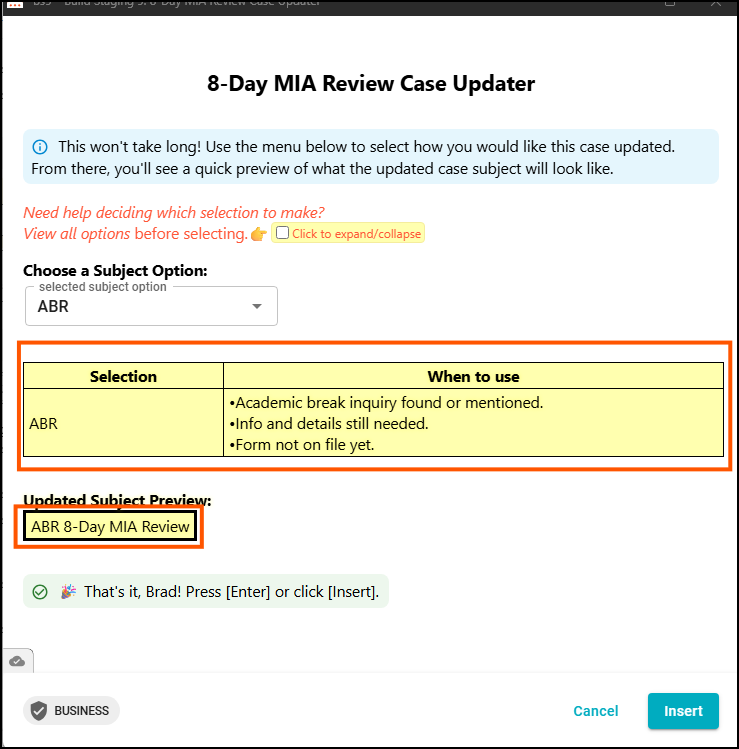
The workaround I have devised to not make the highlighting stand out, is to make entire sections of my snippet(s) the same color. The highlight color is RGB code 255,255,175. So if I can put my data in tables, and set the table background color to 255,255,175 the highlight essentially goes away. Screenshot below. Sections in orange squares are an example of this. It is not pretty, or ideal, but it works.
The highlighting serves to visually separate the static content from the dynamic content. This allows you to at a glance differentiate what will be the same each time you use a snippet (assuming it is not edited) from the content that may change when you use a snippet.
The dynamic content is something you may want to check over each time you use the snippet to ensure it's what you wanted. Having it a separate color makes that easier.
Thank you, Scott - I totally understand that. My thoughts speak only for my and my teams use cases and their feedback. Largely, we do not use Text Blaze in the ways many do like engaging with customers. Rather, we use it to guide us through processes and execute tasks. Most of the time, we find we find that performing the same tasks over and over again day after day, the highlighted fields lose their impact. Perhaps the ideas is more about being able to manipulate how the dynamic data displays, rather than merely removing the highlight itself.
Upvoting as I've built a snippet that takes garbled format and turns it into something more legible, but it isn't ever actually inserted, it's only for internal reference. The yellow overriding any other background colors makes it visually challenging.
I appreciate the workaround Brad has, but it'd also be nice to be able to hide it so I've upvoted
I agree with this one, it'll be a great feature to at least have an ability to customize how formulas are displayed, whether you want it to be highlighted or not. It provides additional options whether for aesthetic or the functionability of a snippet.
I wish for this feature request to be at least considered.