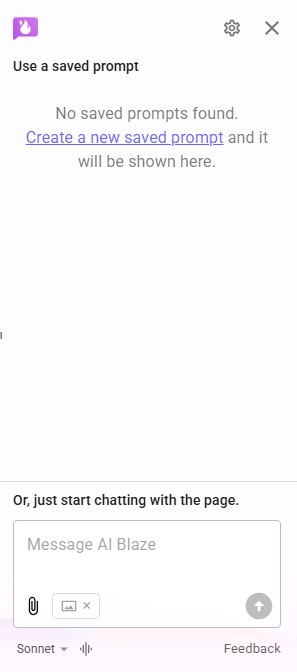
When I use the AI Blaze sidebar tab, none of my saved prompts are showing up.
I checked My Prompts library in the Dashboard and they are showing up there. I used the shortcut menu, and the prompts show there, but none of them work when I click on them.


Welcome to the Blaze forum 
Please try reloading the extension by right-clicking anywhere on a webpage > AI Blaze > Reload Extension...
Let me know if the issue persists.
Thanks, I tried reloading the extension and restarting my browser, but the issue persists.
Thanks for the response.
I have sent you a direct message to troubleshoot it on a call.
I got it working again. I ended up uninstalling and reinstalling the extensions, and then it worked.
For reference, I am using the Vivaldi browser.
Glad to know it’s working again! Let us know if you have any other questions.