TextBlaze was working just fine for a while today with no issues, and then all of a sudden my snippets just stopped working. I didn't exit the browser or clear cache or cookies or history or make any changes that might possibly affect it. When I went to my TextBlaze dashboard to try to see what was wrong, all of my snippets I had created were gone and replaced with the default demo snippets.
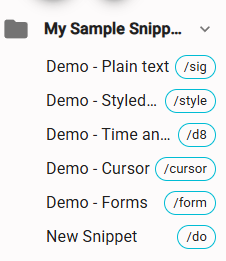
I googled this issue & browsed the forum for a bit but couldn't find anything that helped. I logged in and out, I made sure I was logged into the correct account (and even checked my other Google account just to be extra sure), I checked my trash (empty for both snippets and folders), I reloaded the extension from the Chrome context menu, I don't really know what else to try at this point.
Any help to get my snippets back would be much appreciated since I don't even fully remember how I created them but I DO remember them being a bit of a pain to set up! (At no fault of the website itself, TextBlaze is a godsend for someone with a chronic wrist condition like me, it just took me a lot of trial and error to figure out how to get it to do what I wanted)