Text Blaze Highlights
 New Folder Search
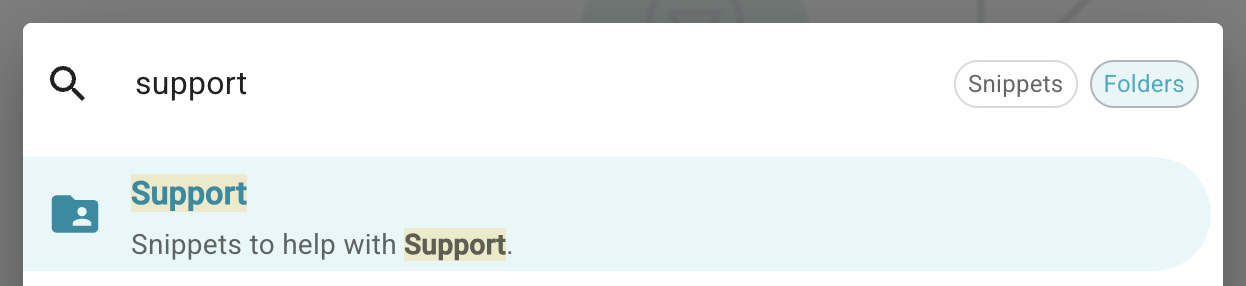
We've extended Text Blaze's search to allow you to search for folders in addition to searching for snippets.
To switch between snippet search and folder search just click the toggle buttons to the right of the search.
 Simpler Text Field Validations
Text Blaze allows validation of forms using the {error} command. This allows you to ensure that your requirements are met when forms are filled out. However, it's a bit complex to set up.
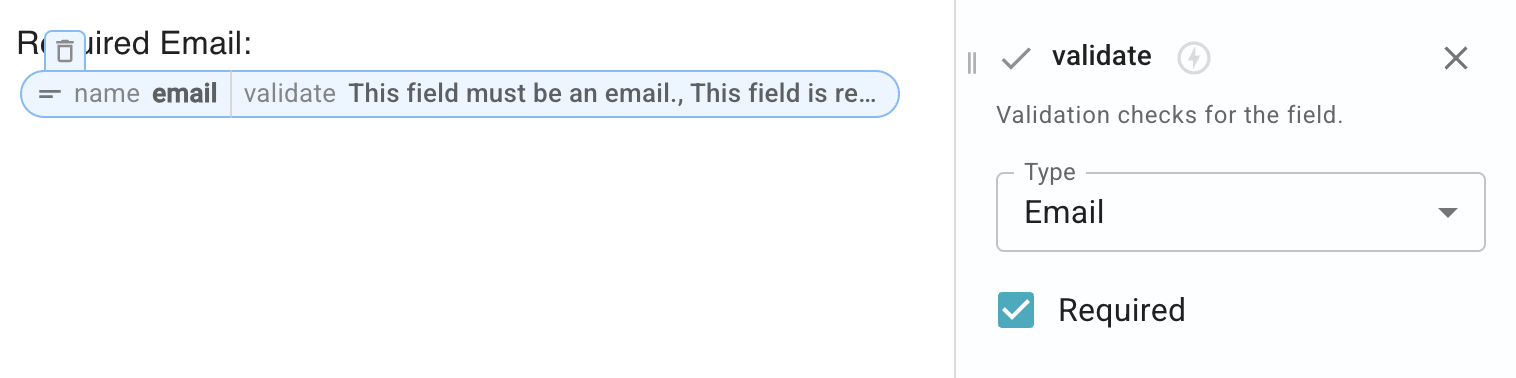
This month we added a lighter weight validation option for {formtext} and {formparagraph} fields. The new validate setting lets you mark a field as being required. You can also require that a field contains an email, or a URL, or use a custom regular expression to validate it.
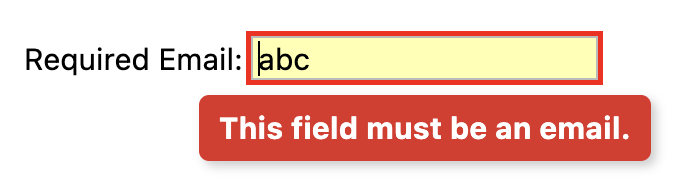
Here's how you can mark a text field as being a required email field:
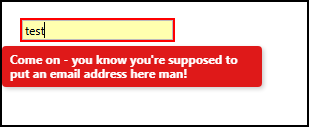
An error is shown if the form is submitted with invalid data. You won't be able to submit the form until all validation errors have been resolved.
AI Blaze Highlights
 Improvements to Page Context
AI Blaze can include your page's contents as context when you use a prompt. This allows you to ask the AI to summarize the page or otherwise respond to the contents of the page. When it does that, it converts the page's HTML to Markdown, a common format used by LLMs.
This month, we've improved the HTML to Markdown conversion process in many ways. For example, we now better handle whitespace between elements on the page and better handle complex page layouts.
Combined, these improvements greatly enhance the quality of the Markdown provided to the AI, helping it to provide you with better analyses and responses.
And remember... 
We're always here for you! If you ever need a helping hand, don't hesitate to drop a line in our Question and Answer community forums. And if there's something you'd love to see, we'd be absolutely thrilled to hear about it in the Feature Ideas section.