Text Blaze Highlights
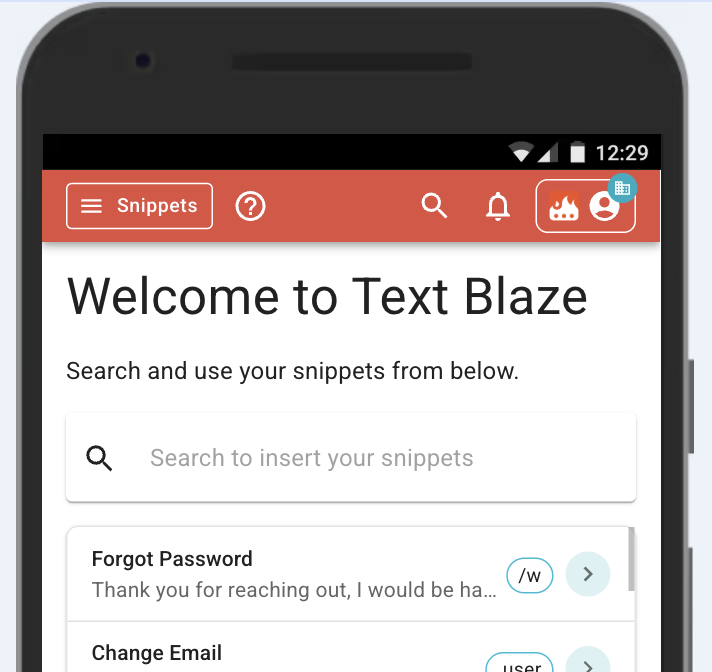
 New mobile view
We've added a mobile view to the Text Blaze dashboard. The mobile view allows you to quickly search for a snippet when you are on a mobile device and also copy the snippet to your clipboard. It even lets you fill out Text Blaze forms and copy the completed form.
One of our common feature requests is for dedicated Android and iOS applications. It's something we're working on. Until then, this mobile view makes your snippets much more accessible on mobile devices.
 Retry setting for connected commands
Text Blaze's connected snippets allow you to save or load data from a snippet to Data Blaze or make other requests. No internet connection is perfect though, and sometimes your WiFi might flake out just when you happen to try to load or save something from Data Blaze, requiring you to then reuse the snippet.
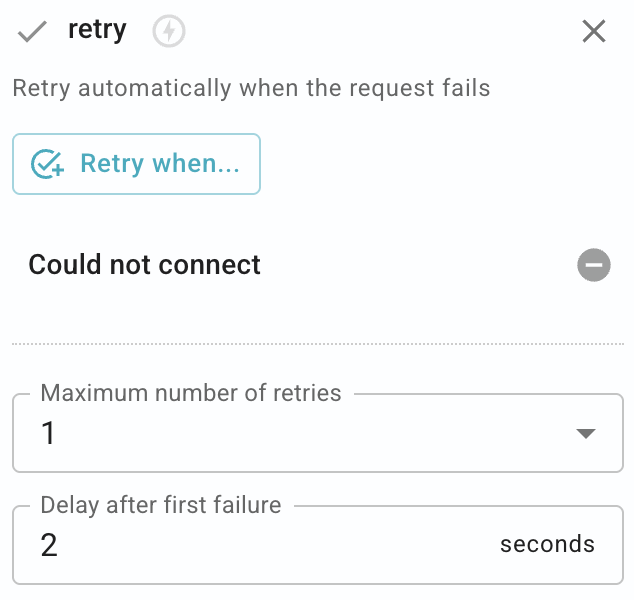
In this release, we've added a retry setting to all the connected commands. This setting lets you tell Text Blaze to retry a request up to several times if it fails at first. So if your internet drops for a few seconds, Text Blaze can just retry.
AI Blaze Highlights
 AI Blaze now uses Sonnet 5
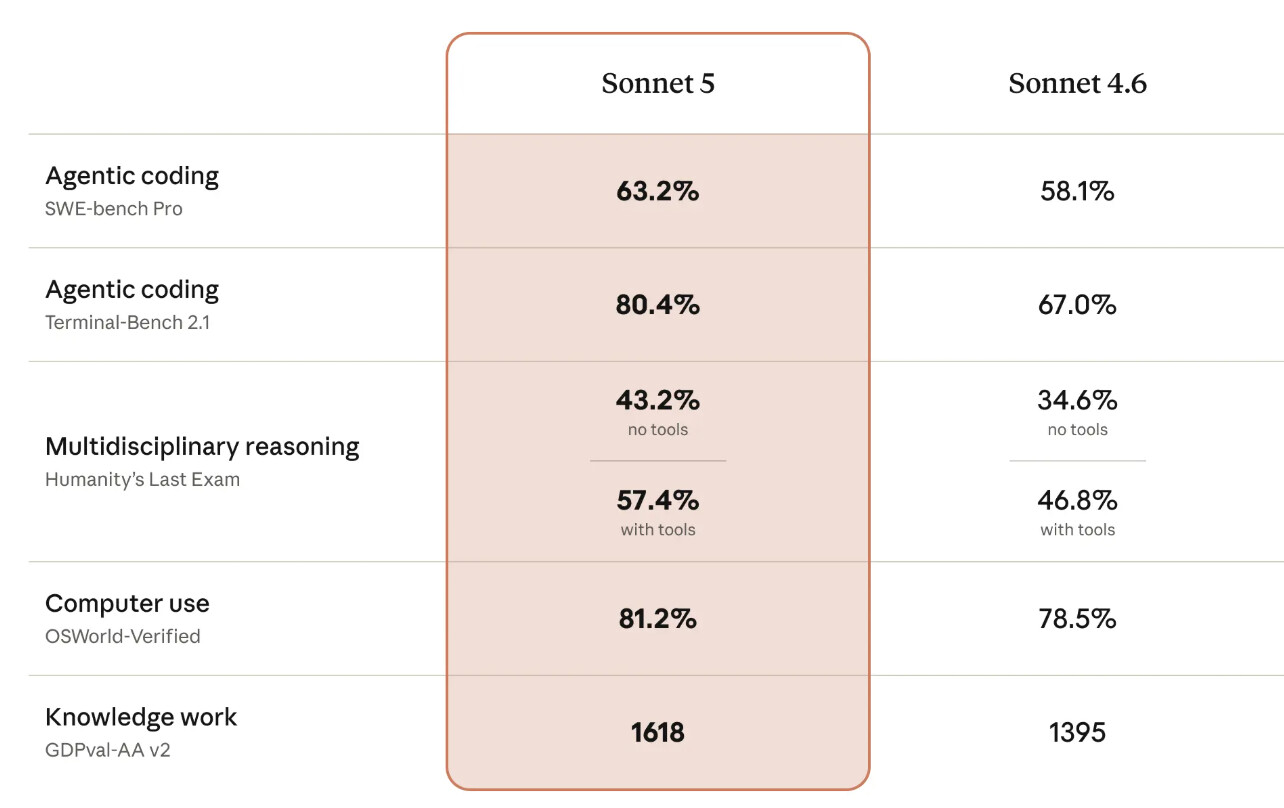
We've upgraded AI Blaze to use the new Claude Sonnet 5 model. Anthropic reports that Claude Sonnet 5 is significantly better than the previous model we used, Claude Sonnet 4.6. Here is their comparison of the performance of the two models:
Data Blaze Highlights
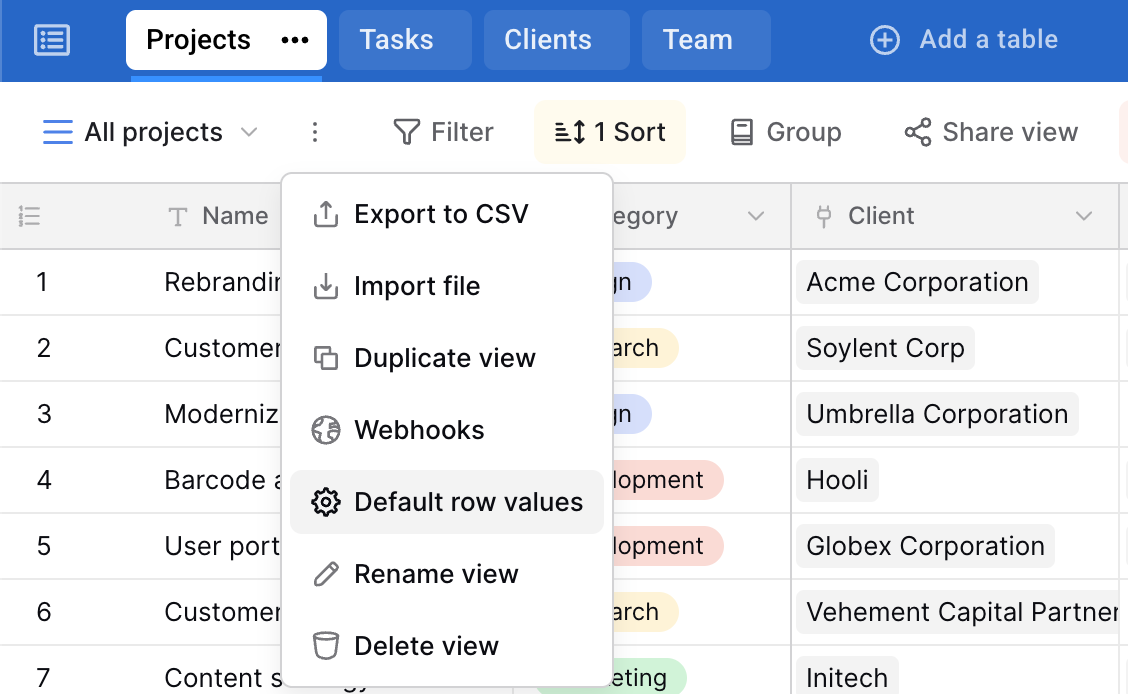
 View-Specific Default Row Values
You can now set view-specific defaults. For example, if you manage multiple projects through multiple views, you can now set more relevant default values for fields like the project name and category when adding new rows, based on the selected project.

 Freeze Up to 4 Columns in Grid Views
You can now freeze up to four columns in a grid view, making it easier to keep important row information visible while scrolling horizontally to review related data.
 Video of the Month
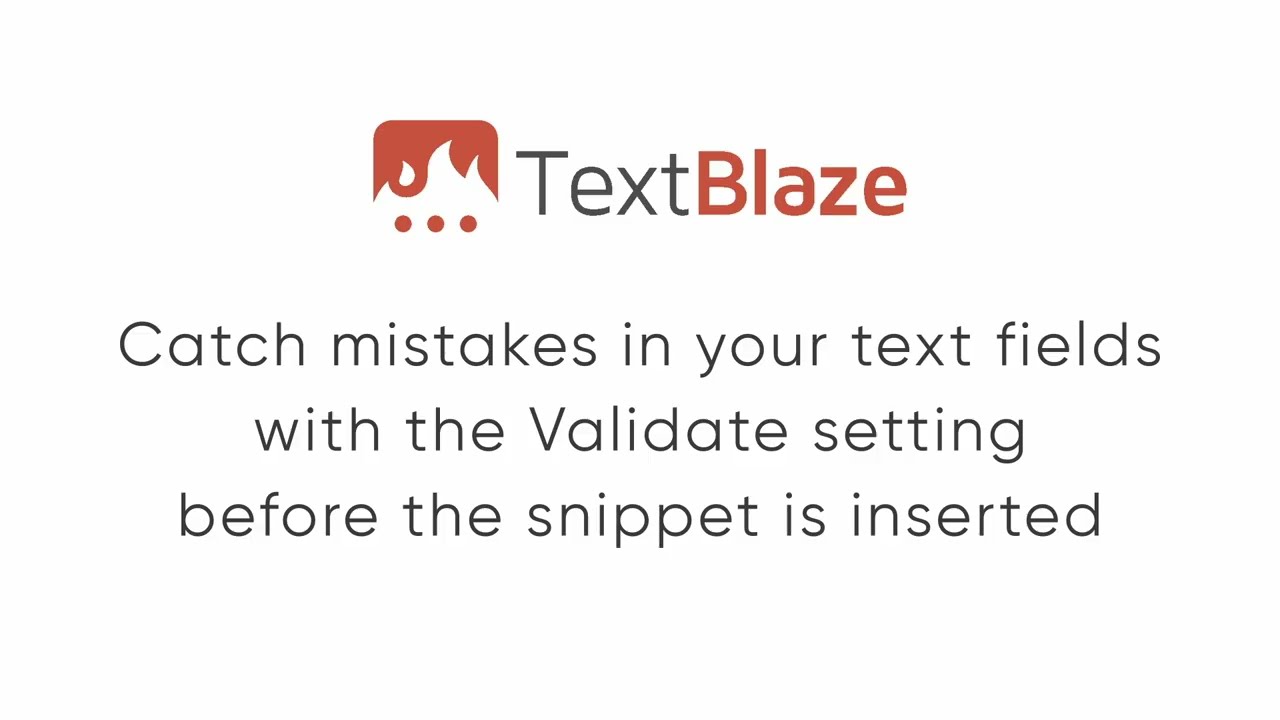
Learn how to use the validate setting to quickly add checks and validations to forms.
And remember... 
We're always here for you! If you ever need a helping hand, don't hesitate to drop us a line in our Question and Answer community forums. And if there's something you'd love to see, we'd be absolutely thrilled to hear about it in the Feature Ideas section.