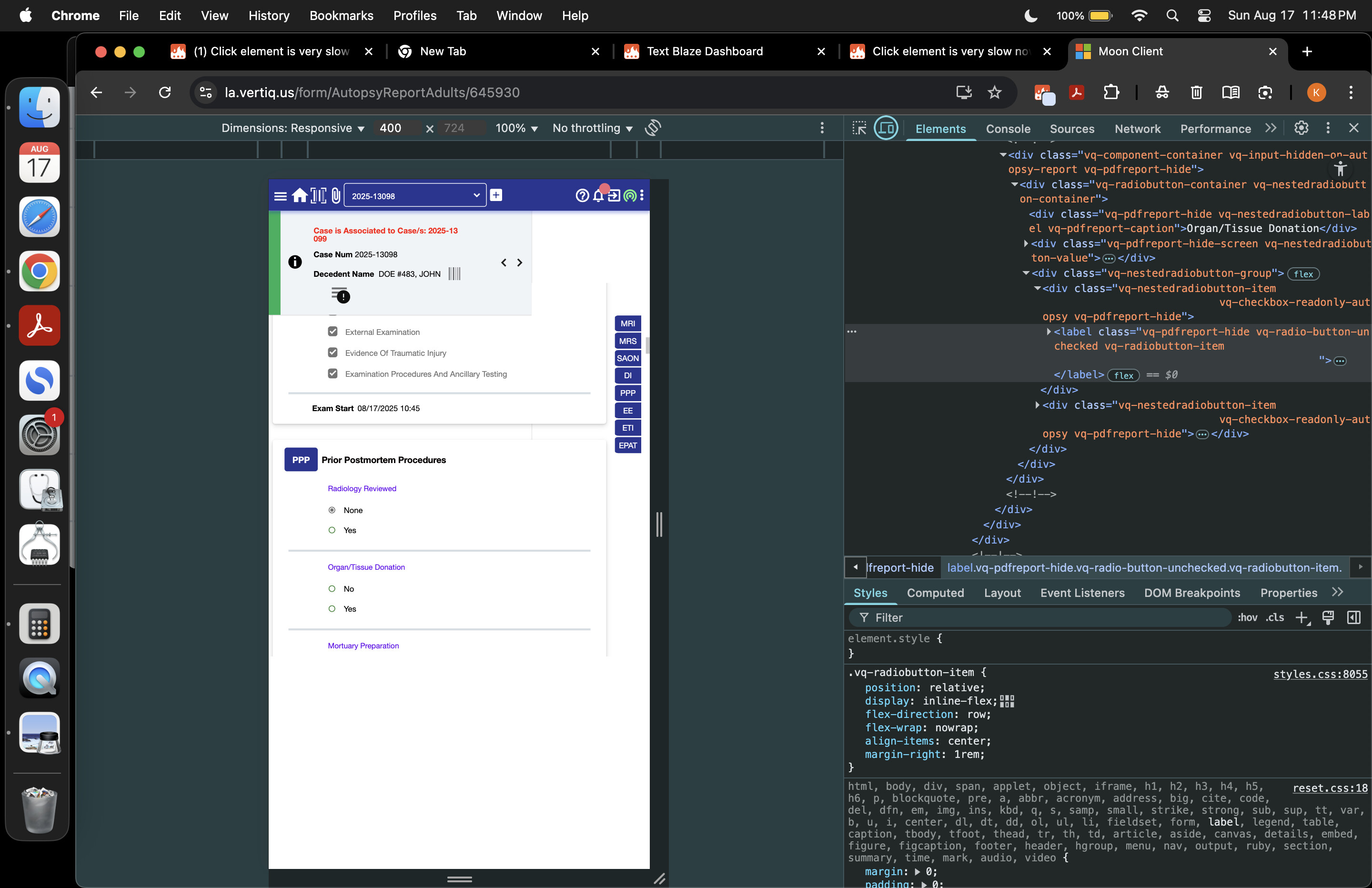
I'm not sure why the time difference is so much. Can you share the {click} commands you have in your snippet? I think for some of them you may want to update the selector again. You can also try adjusting the maxdelay setting in the {click} commands.
At the moment, it's not possible to make it the default. Thank you for your feedback. We will look into it in the future.
Thanks for responding. i think my max delay is blank
I tried to rebuild this snippet from scratch today with version 3.2.1, but it’s the same slow speed.
Old snippet below, The “Select From Website” option didn’t work so i had to Inspect and manually copy all the selectors. No errors, just really slow now.
New partial Snippet with version 3.2.1 below
There are errors in this one using “enable clicking on all targets”
I see that each {click} command is clicking on a label element. Do you have any associated input element right next to the label? It would be faster to click on the input element directly. To check the HTML, you can:
Right-click inside the input that you want to click on.
Select the "Inspect" option, which is usually the last option in the menu.
A panel will open on the right side.
Now take a screenshot of the Chrome window.
Please send me this screenshot so I can better understand the HTML structure.
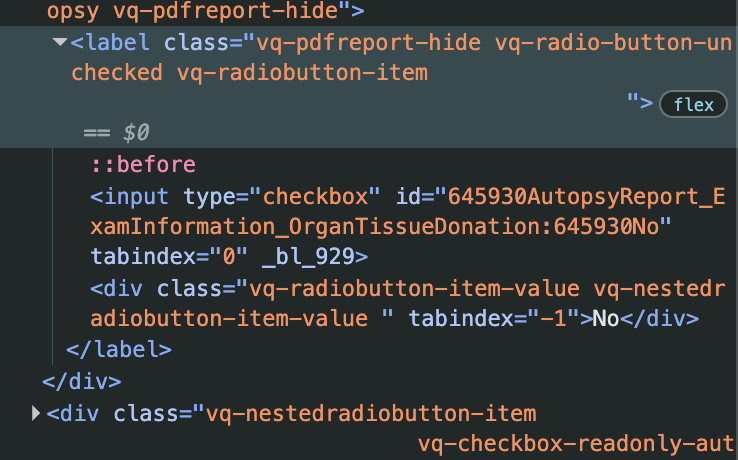
Thanks for sharing that. If you click on the arrow next to the highlighted label (shown below) in the HTML code, do you have an input element inside it?
Could you update your selectors to click on the input element instead? So, a command like:
{click: selector=#PriorPostmortemProcedures > div.vq-card-content > div:nth-child(3) > div > div > div > div > div.vq-nestedradiobutton-group > div:nth-child(1) > label}
would be updated to be:
{click: selector=#PriorPostmortemProcedures > div.vq-card-content > div:nth-child(3) > div > div > div > div > div.vq-nestedradiobutton-group > div:nth-child(1) > label input}
See the text " input" that I added at the end of the selector setting. Let me know if this speeds up the snippet for you.
Also, my guess is that this (faster) selector could be automatically generated if you used the "Select from website" tool. To do that, you can click on the radio input (the circle) next to the text "No", instead of clicking on the text "No" itself. Let me know if it works for you.
thank you very much, i will try this in the next couple days. but why did the clicking speed slow down so dramatically this month using the same exact snippet? is it possible to restore the speed from the developer end?
Thanks for your feedback. I will look into this case and let you know of any possible future improvements. In general, the {click} command is fastest when selecting clickable targets, like input elements. For non-clickable targets, we try to be as fast as possible, although that can change between versions, as you have observed.
Gaurang - we’ve experienced this as well fyi. I’ll check out our selectors based on your direction in this thread. Maybe we’ve strayed from the best practice.
Thanks for letting me know, Brad. Can you also share with me the Inspect Element result for one of the affected click targets? You can check the steps here:
Click Command is still very slow in version 3.2.3. One of my snippets that previously took 10–15 seconds in version 3.1.12 now takes about 90 seconds.
I cannot use the input element because the snippet needs to function across an infinite number of different reports. The input element only works in a single report case number.
If possible, please continue working to restore the previous level of speed for label elements.
Thank you.
@kyoung4 for the case numbers where the updated snippet does not work, can you please share (1) a screenshot of the HTML code for that case number, and (2) the snippet you are currently running?
My understanding is that the proposed workaround should be suitable for all of them.
We have made updates to the extension so the {click} command should now be faster for many more use cases. Please let us know if the {click} command is still working slowly, and we'll look into improving it.