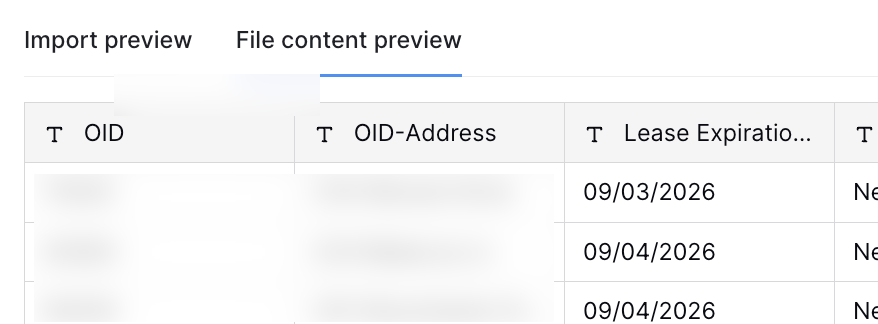
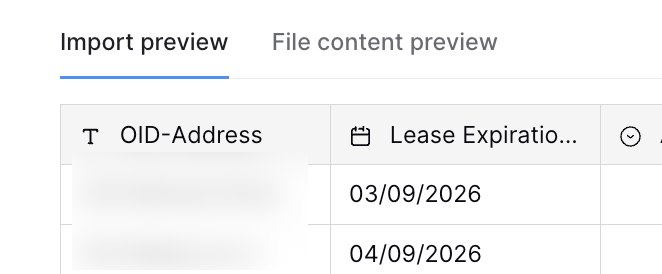
I've been using Data Blaze for several years, but in the last week, I have a date that's importing from a CSV, and it's importing the date format incorrectly.
It is the same export file that I've been using for ages and my column date format hasn't changed either.
Hi @Stephanie_Bouldin
Sorry for the inconvenience caused. Please give us some time to check this and respond to you.
Hi @Stephanie_Bouldin, welcome back to the forum 
Are you using the same CSV file with exactly the same date's data every time you import? We are using a mixture of approaches to guess the format of the imported dates; it's preferred to use a DD/MM/YYYY format for the CSV file to make sure that dates are imported correctly.
If the same data suddenly started to get imported differently, can you please share an example of the CSV value itself and how it was and is currently being imported to your table?
I am using the same CSV export every time. It has never changed, but something in the last 2 weeks changed on Datablaze side. I even tried changing the date format in sheet to test and still doesn't work.
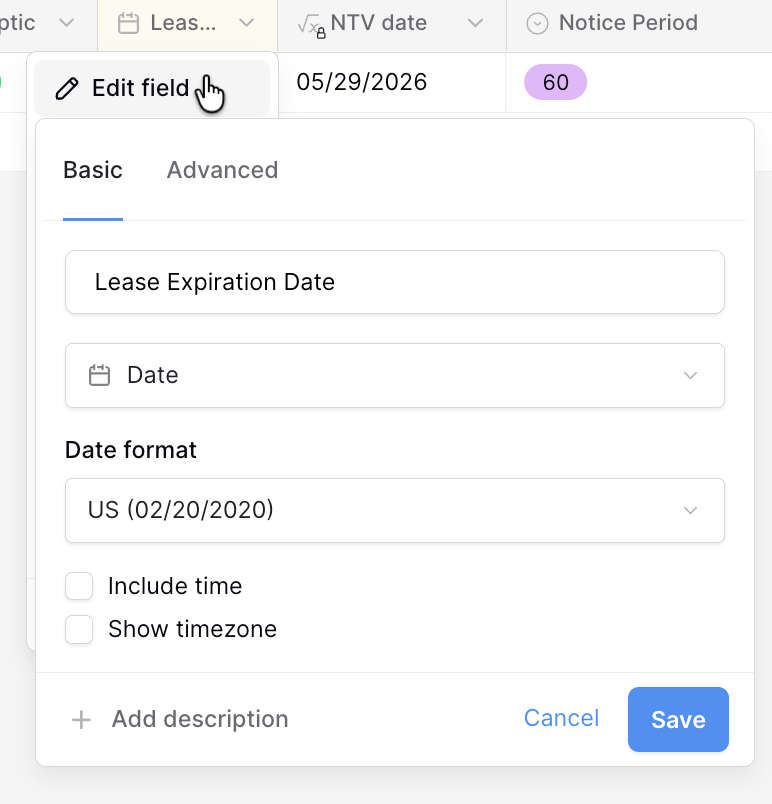
Here is what my csv looks like and the field I am importing into is a date with US date formatting.
@Stephanie_Bouldin I confirm there's a behavioral change that happened to the date format detection when importing a CSV file. We'll look into it and update you once a fix is released. Thanks for reporting.
Thank you. For now I'm just using the API to change all the imported dates back to what they should have been. Was very confusing when I accidentally was looking at Jan 9th dates that should have been Sept 1st dates. 
I also see the pattern. It is transposing anything that a month can map to and leaves the rest alone.
For example: 09-11 gets transposed to 11-09, but 09-18 remains the same because there is no 18th month.
Hi @Stephanie_Bouldin.
Again, sorry for any inconvenience you experienced with importing dates. As a workaround until we get this issue fixed, you may use a strict M/D/YYYY date format in your CSV. For example, use 9/4/2026 rather than 9/4/26. This should resolve the issue and import the dates in the same Date format you set for the field (US in your case).
@Stephanie_Bouldin The issue is fixed now; please let me know if you're still experiencing any issues importing dates.