Not even in the "Try it" field within Text Blaze. One thing to note is that I installed Microsoft Power Toys this morning.
Hi @RJ_LeMaster try uninstalling and reinstalling the extension.
No joy; I'll restart the browser tonight and see if that makes a difference, but right now it's dead in the water
Also, this is MS Edge; things are working fine in Chrome; but I will also say that at one time this was also working in Edge
Hi @RJ_LeMaster the extension is supposed to work in both Edge browser and Chrome browser. Do you have any conflicting extensions installed in the Edge browser that could be affecting the extension?
Doubtful; only have 2 extensions, but I did add the Todoist extension. Let me disable it and see if that has any impact
Working again; don't know if it was the restart or what
I have to login 1st thing and several times per day on Microsoft Edge browser forced onto us by the Microsoft Certified Network Nazis #MCNN. Often asks me to install the plug-in that is already installed. I removed, refreshed new browser and installed a few times... still an issue.
Hi @sam.gerardi,
Welcome to the Blaze forum! 
Could you please share a screenshot of the error message you are receiving?
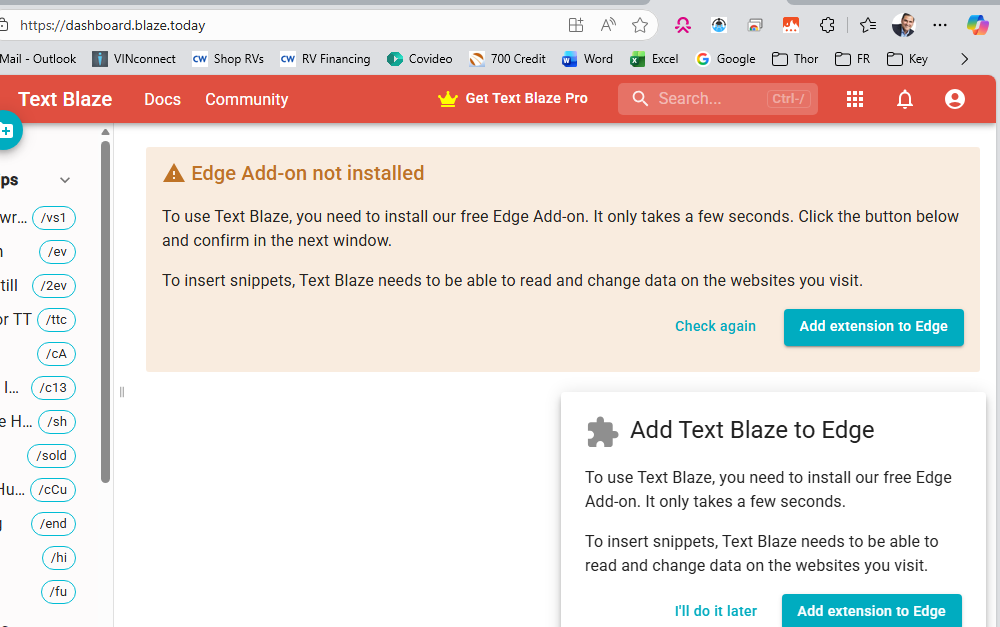
I have the plugin added. it works today.
The next day, the extension does not open the screen & shortcuts don't work. I login to dashboard and it declares I need to add the plugin. I hit the "add Extension" link but MS Edge displays that I have the extension giving me the "remove" button. I remove and reinstall, it works fine all day. Probably an MS Edge issue but I am forced to sue this on my network.
Hey @sam.gerardi could you please email us at support@blaze.today the next time this issue happens? We would like to get on a call with you to investigate this issue further. I also request that you update your Edge browser to the latest version, v148.