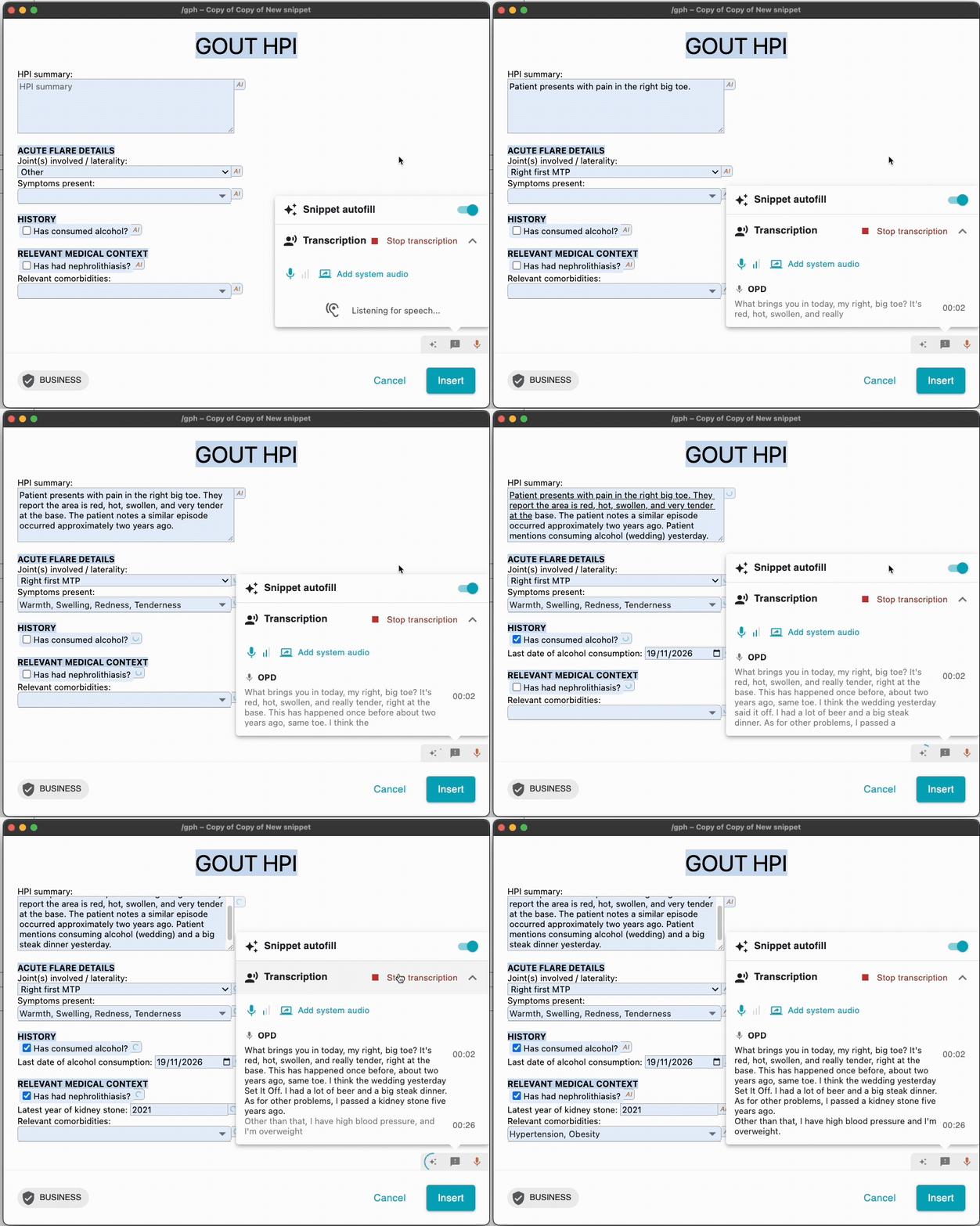
Hi all! We're experimenting with speech-to-text in Text Blaze. Combined with AI autofill, this lets you input unstructured voice data and fill in structured form fields in your snippet. The GIF below demonstrates the feature.
In the GIF, notice how the AI connects the voice input to the snippet constraints, and then fills in the fields automatically. I have highlighted specific examples in the table below:
| Voice input |
AI fill-in |
Constraint |
| yesterday |
19/11/2026 |
date field |
| five years ago |
2021 |
YYYY formtext |
| high blood pressure |
Hypertension |
formmenu choice |
| right big toe |
Right first MTP |
formmenu choice |
If you're interested in experimenting with this, please email us at support@blaze.today!
Participating in the experiment is free, but we may charge for AI Autofill and Transcription in the future.
1 Like
Hello, this is my first time posting a message. This looks very interesting. I just wanted to know what the maximum audio length allowed for transcription is, and whether a recording of a meeting with multiple speakers can be processed.
Hi @claudepetro welcome to the forum!
just wanted to know what the maximum audio length allowed for transcription is
We plan to tweak the maximum audio length based on user feedback. In our early testing, we have seen one hour sessions run without an issue.
whether a recording of a meeting with multiple speakers can be processed.
Right now, transcription can separate the audio from two separate sources: the system and the microphone. In the coming year, we will have speaker diarization, so multiple speakers on the same source can be separated.
The feature currently only supports live audio, and not recorded files (.mp3 for example).
I would love to hear more about your use case and if you're interested in early testing this. Feel free to respond here or at support@blaze.today