I make snippets with Chatgpt but a lot of the times functions are not available when i want something specific the function or the option to do so, is their something that you can add or connect to get more options avalible
Can you please share an example of the request you are making. So we can understand it better.
I have this,
{formtext: name=zoekterm; default=Sonic the Hedgehog}
{urlload: https://en.wikipedia.org/api/rest_v1/page/summary/{=replace(zoekterm, " ", "_")};
done=(res, code) -> ["summary": catch(fromJSON(res).extract, "Geen data"), "http": code]
}
{if: http=200}
Samenvatting: {=summary}
{else}
Kon niets ophalen (HTTP {=http})
{endif}
i have this for example i want to get info from a website but its working here to a specific path but i want it tob be like that it searces on the page for info i need by defining them but i cant really go further becaus i cant seem to find ow it works or how i can make this happen
This is something which looks like you want to use {site} command. Have you tried that?
Thank you this was very help full i can now automatically add info from my sources automatically. Do you also know how i can specify to adde the contenet in data blaze i have them connected but the {Name=} var doesn't work in the {site} command
This should work. Can you send me a screenshot of the error you are getting?
{abc={site: text; selector=.selector}}
{=abc}
Oh thank you this works too i am kinda new to this program i didn't know you could place the Site thing in another object thing.
i have know this problem i have used the selector to copy the text in a page on e specific place but after a while its giving this error is their another way to dot his or do you keep the errors

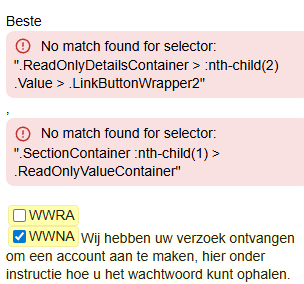
Would you like hide the error if failed to find the selector?
the thing is that the error is not correct t says no match found but when i use it works fine it's just that the error confuse me in checking everything while there is nothing wrong
It should not show an error if the selector is found.
Can you share the snippet and a screen recording to support@blaze.today . So we can look at this further.
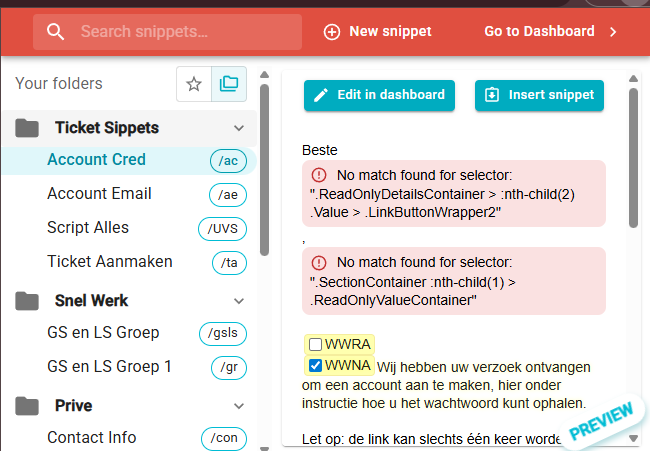
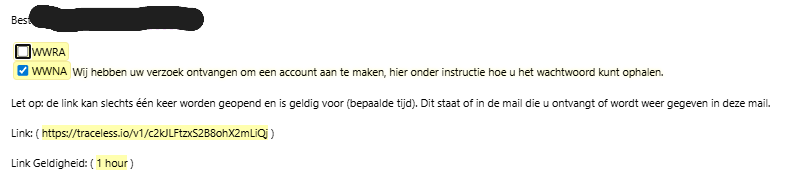
Currently, we do not support previewing {site} commands in the assistant.
So this is expected.
We would not recommend it, but if you'd like to hide the error. Then you can use it something like
{abc=catch({site: text; selector=.selector}, "")}
{=abc}
Using catch() might silently fail, and you might not understand there is an issue in the selector even while using the snippet. So please use this method carefully.
oh okay so like the preview i see there is not an actual error but there isn't a function in the program that sees it as a valid command, Also i wanted to ask can i make something like clicking buttons on pages and also can you make like a floating window where i can select my snippets.
Hi @Ylias_Kok ,
You can use {click} to trigger clicking buttons on pages.
Currently, we do not have a floating window. But you can use a shortcut to open a popup whenever you need. This makes it convenient without obscuring your page all the time.