Sometimes I print snippets using Text Blaze. Is there a setting to prevent buttons created with Click from printing?

Sorry, I'm unable to understand your question. Please provide relevant screenshots if possible.
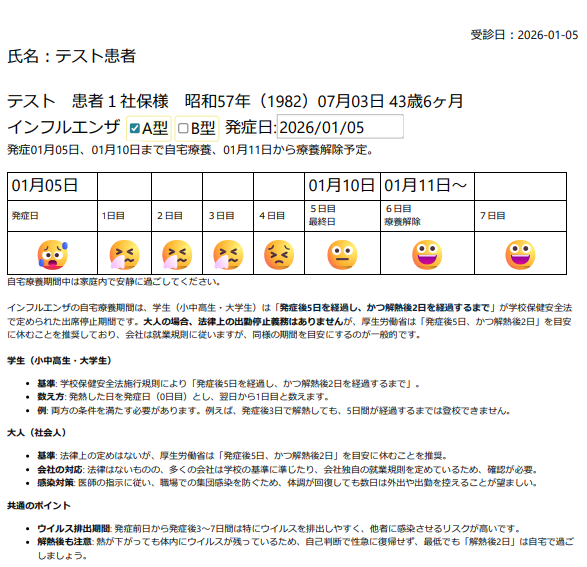
Thank you for your reply. So, you want to hide the key press button (attached) in the snippet when printing the snippet screen, while still making it functional.
If you set {note: preview=no}, the key press itself will stop working.

Hi @N_Saito,
Thank you for the explanation.
To clarify, you'd like to print the contents of a form window. If this is the case, could you please elaborate on the reason for doing so?
@AshwinMittal I am the director of a clinic. In Japanese clinics, we need to print and provide patients with various documents. We use Text Blaze to automatically generate documents using information from electronic medical records. When creating documents, I would like to simultaneously manage the medical records. It would be convenient if functions like key press could be used concurrently. If there were buttons on the printed documents, patients might wonder what they are for.
Thanks @N_Saito for your response. We've noted your request. We'll keep you updated once it's done.
@AshwinMittal Thank you. I appreciate your help with this matter. Please let me know if there's any progress.
Hi @N_Saito
Would something like this work for your use case?
{note: insert=yes; preview=no}{key: a}{endnote}
@AshwinMittal It works, Thank you for your help.
1 Like