Hi,
very new to TB, but loving what it can offer.
I'm struggling to work this out, but I assume it will be simple once I see it.
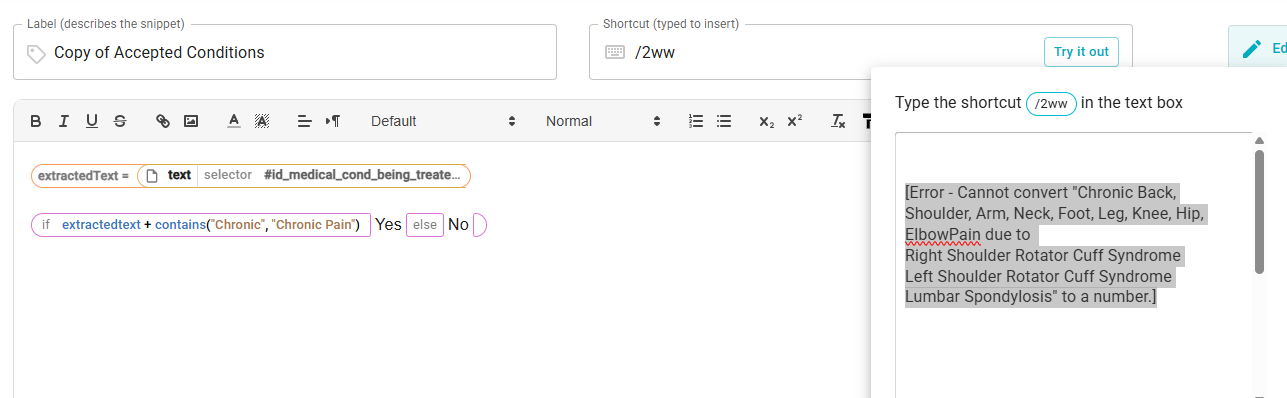
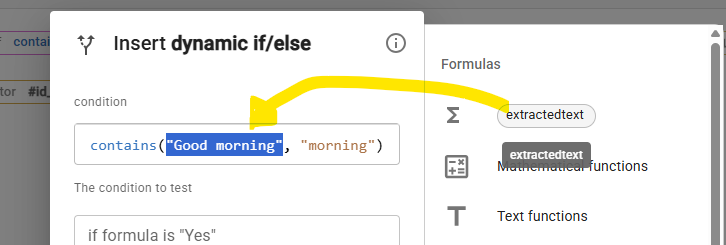
I want my snippet to look at text from a website field ( I have used the Select from Website function and named it "extractedText"). I believe I have done this correctly.
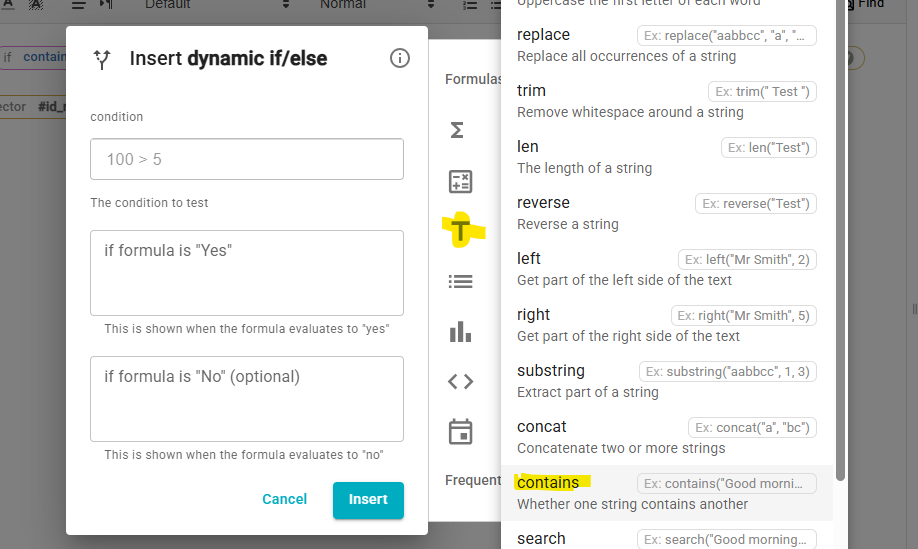
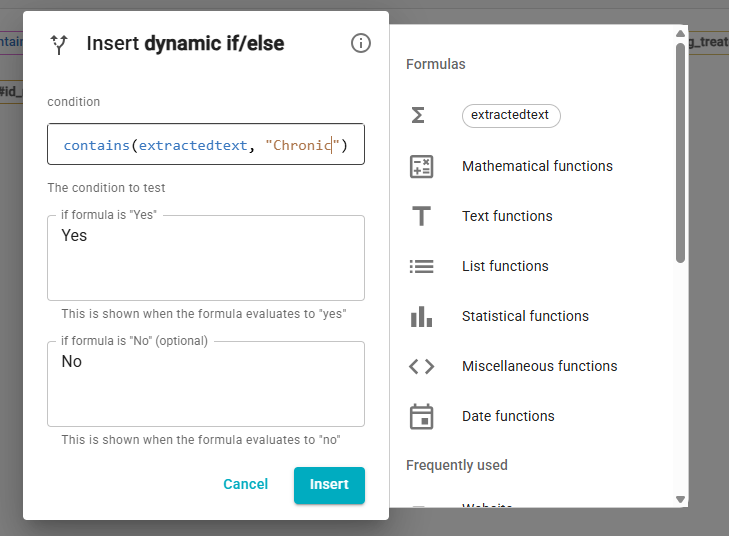
I have then added an IF/Else function and what it to look at the text from the "extractedText" and see if contains any of the word "Chronic" or "Chronic Pain"
For my testing, I have simply asked it to reply with a Yes or No answer.
It returns the below, referring to being unable to convert the extracted text to a number
[Error - Cannot convert "Chronic Back, Shoulder, Arm, Neck, Foot, Leg, Knee, Hip, ElbowPain due to
Right Shoulder Rotator Cuff Syndrome
Left Shoulder Rotator Cuff Syndrome
Lumbar Spondylosis" to a number.]
Can the IF/Else function evaluate text?
Many thanks in advance : )