Hi everyone,
I work in customer service and I’m trying to improve how I personalize my replies using Text Blaze.
Currently, I have a snippet that captures the customer’s name using the CSS selector and inserts it into a greeting. However, there’s a problem: anyone on my team can edit customer contact details, and sometimes names are saved incorrectly or with extra information. For example:
- Fleet Driver - Driver's Name - License Plate
- Outsourced driver - Driver's Name - License Plate
To handle this, I’m using a simple regex to clean up the name. So my snippet outputs something like:
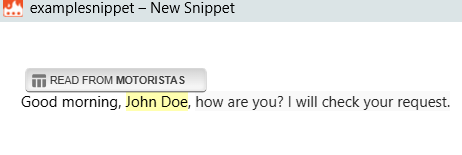
Good morning, John Doe, how are you? I will check your request.
instead of:
Good morning, Outsourced driver John Doe TRU658, how are you? I will check your request.
Snippet contents.
That works reasonably well, but it’s not perfect—especially when the name itself is wrong due to typos.
So I’m wondering if there’s a better approach using Data Blaze.
If I create a table with columns like Name and Phone Number, would it be possible for the snippet to:
- Check the phone number from the website selector
- Match it with the Data Blaze table
- Insert the correct name from the table instead of relying on the website value
For example:
- If phone number 123456 sends a message → insert John Doe (even if the website shows a typo like “Jonah Deo”)
- If phone number 789101 sends a message → insert the corresponding correct name
Is this kind of lookup possible in Text Blaze/Data Blaze? If so, what would be the best way to implement it?
Thanks in advance for any guidance!