Text Blaze Highlights
 New Markdown Option for the Site Command
The Text Blaze {site} command allows you to include part of a page in your snippet. The command has supported two formats for accessing the page contents: html and text.
This month we added a third format: markdown. This is a human-readable format that includes basic styling information.
For example, given this text: This is Italics!
{site: text}will outputThis is Italics!{site: html}will outputThis is <i>Italics</i>!{site: markdown}will outputThis is *Italics*!
Markdown is used in a lot of rich text editors and is also well understood by AI programs. It is a good middle ground between HTML and text if you need to capture some styling information.
 Manage Long-Running Snippets
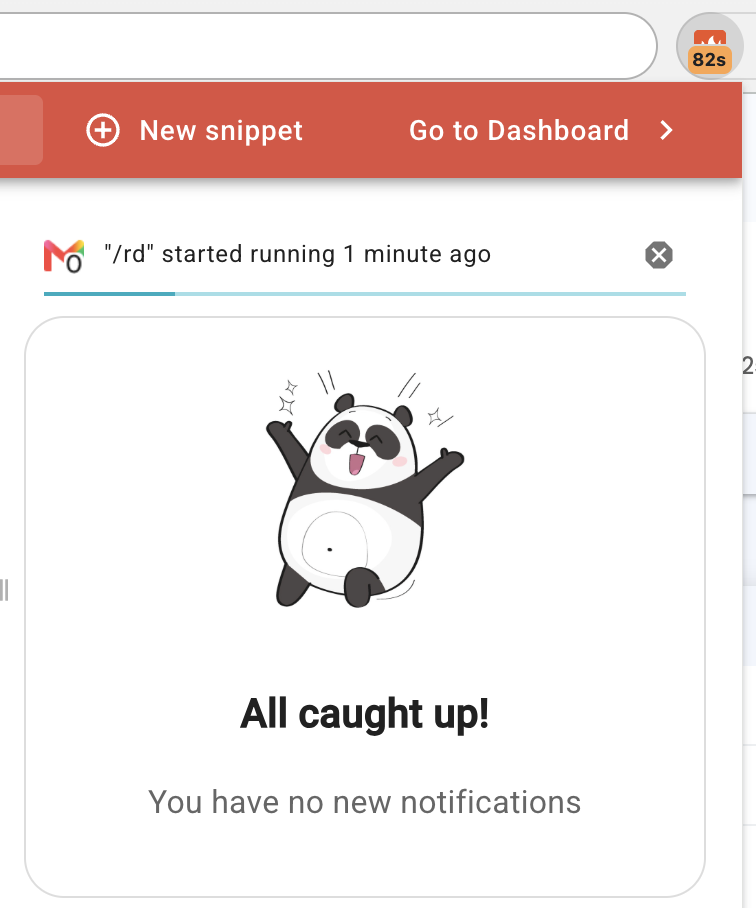
Various commands such as the {wait} command can make your snippet wait for potentially lengthy periods.
We now show a list of long-running snippets in the Text Blaze Assistant. You can also stop long-running snippets here.
And remember... 
We're always here for you! If you ever need a helping hand, don't hesitate to drop us a line in our Question and Answer community forums. And if there's something you'd love to see, we'd be absolutely thrilled to hear about it in the Feature Ideas section.