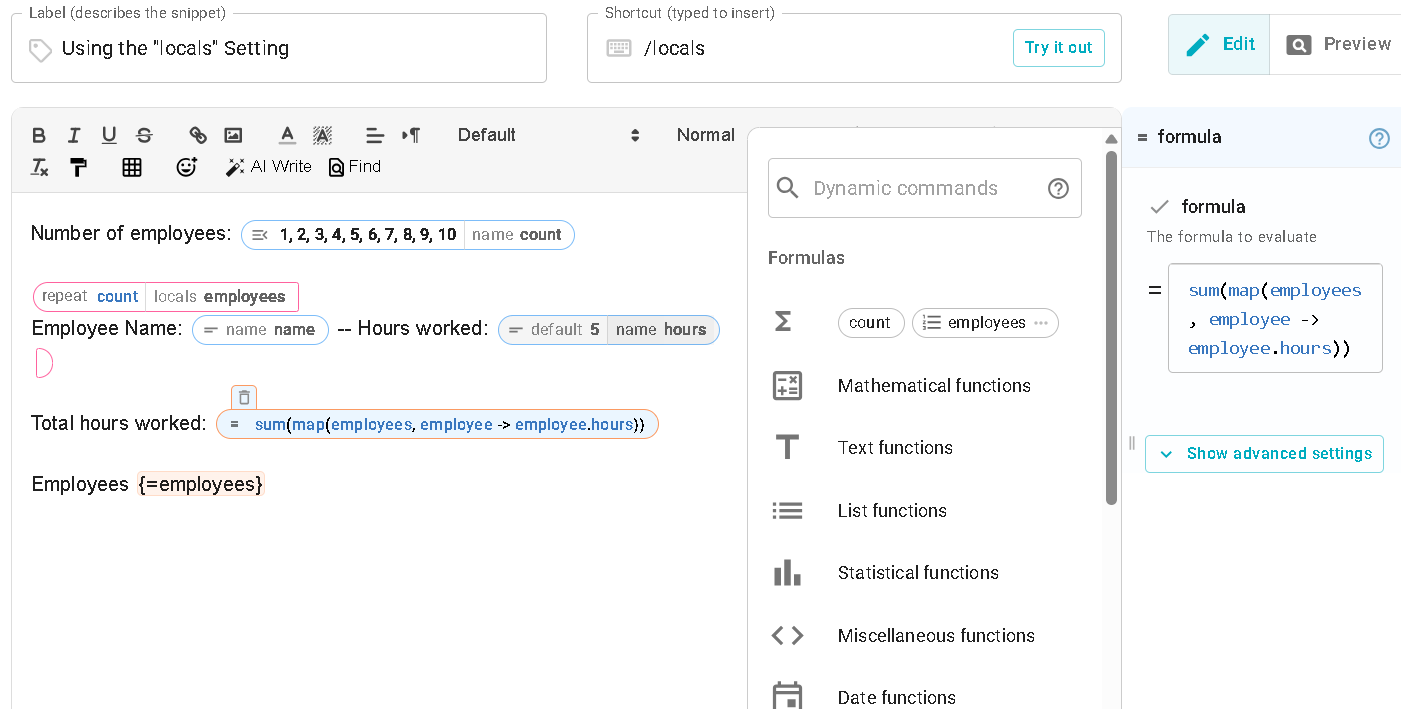
In this example of using the 'locals' function, is there a syntax I can use to get the Name and Hours as separate variables?
Number of employees: {formmenu: 1; 2; 3; 4; 5; 6; 7; 8; 9; 10; name=count}
{repeat: count; locals=employees}
Employee Name: {formtext: name=name} -- Hours worked: {formtext: name=hours; default=5}
{endrepeat}
Total hours worked: {=sum(map(employees, employee -> employee.hours))}
Employees {=employees}
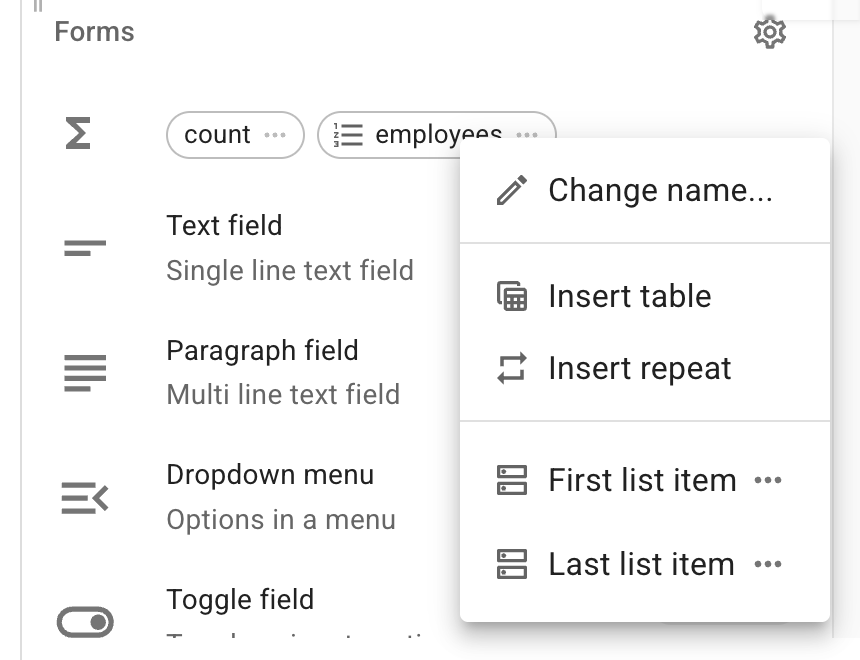
Hi @tonydow , when you insert this snippet in the Text Blaze Dashboard snippet editor, you will have the option to insert the employees as a table or as multiple lines. See image below:
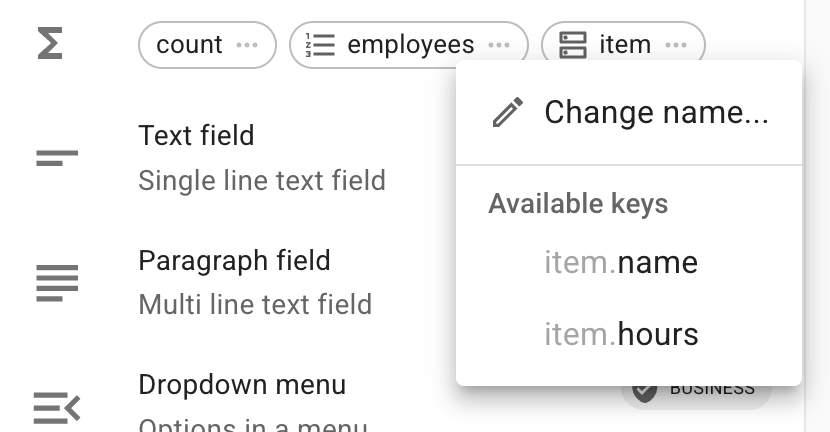
If you insert as a table, name and hours will already be separate. If you insert a repeat, you will have the new 'item' variable from which you will get the option to get separate properties. See image below:
Let me know if it works for you.
I don't see the option to add table or repeat
You will get the menu after clicking the three dots "..." next to the "employees" chip in the right-hand sidebar.
I am getting it when I copy the snippet you shared. If you're not getting it, can you please share a screenshot of you see?
Only see First and Last items
I see you have the sum formula open on the right sidebar. Can you please let me know what you aim to do after you get the separate name and hours properties?
I'm just experimenting with the 'locals' function and trying to get a nicer view of the {=employees} variable by breaking it into individual elements
Perfect. Please first click into the blank space in the big snippet editor. After that, you will see this view in the right sidebar, from where you can insert the table to get a nice view:
I'm afraid I don't get anything if clicking the white space
@tonydow I believe this might be what Gaurang is directing you to do. Check this out:
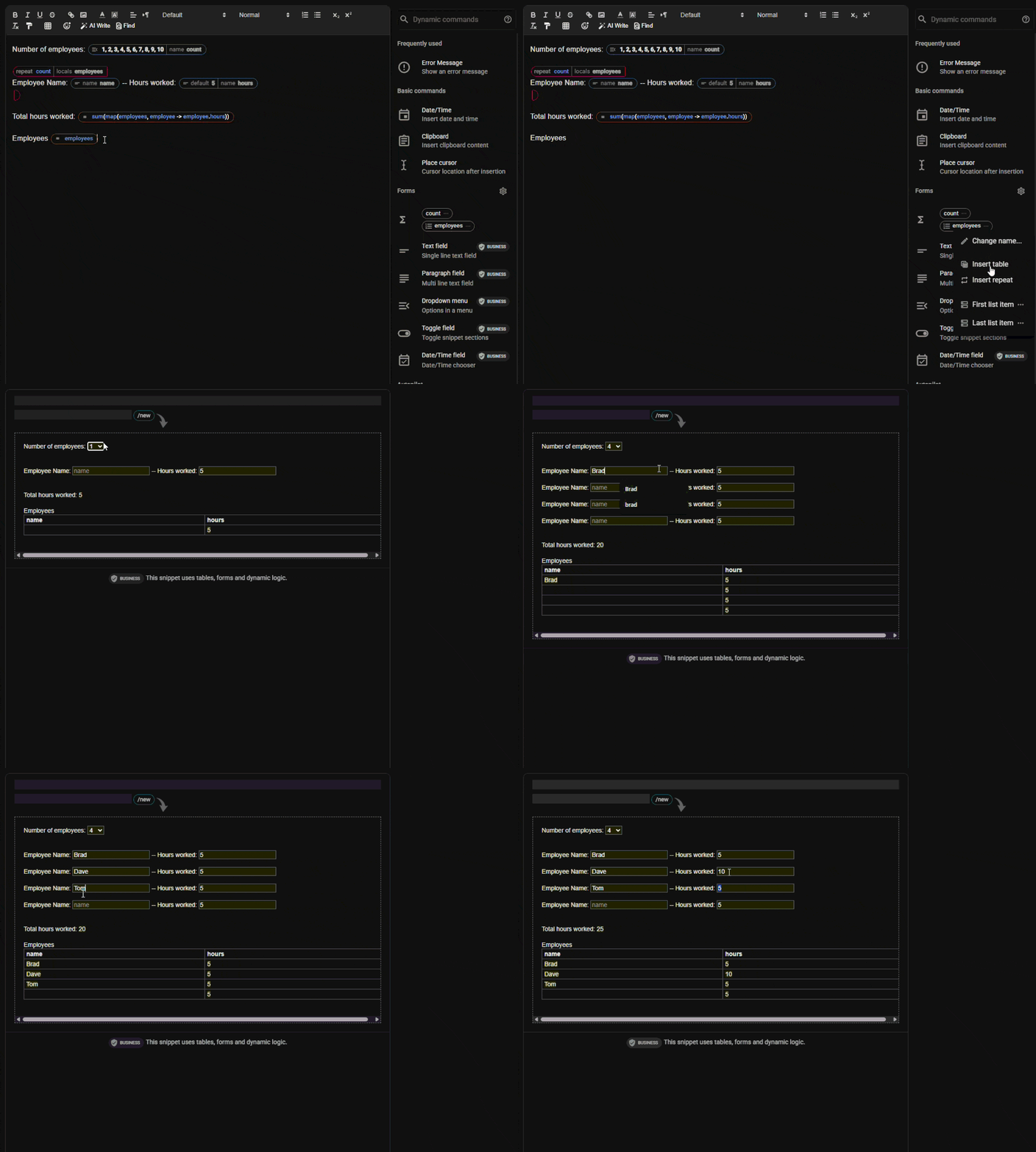
Thanks Gaurang and Brad, got it working now. Is it possible to then have If Name=*** do this
Most likely. Tell us more about what you are are hoping to accomplish. What does "***" represent? What happens when the if resolves to true and when it resolvs to a false? Stuff like that please.
As I mentioned earlier, I'm just experimenting with what is possible. ***** represents one of the Names entered into the table. Not really decide on true and false. Just wondered what the syntax would be put the Name into an If function.
Oh - well sure! That is pretty straight forward. Check this out. Here I set up an if statement that looks at the name in the row. Then, based on the name entered, it inserts an emoji to match that name. In this example, enter the names, Tony, Brad, and Gaurang. Any other name will show a  .
.
Number of employees: {formmenu: 1; 2; 3; 4; 5; 6; 7; 8; 9; 10; name=count; cols=10}
{repeat: count; locals=employees}
Employee Name: {formtext: name=name; cols=10} -- Hours worked: {formtext: name=hours; default=5; cols=10}
{endrepeat}
Total hours worked: {=sum(map(employees, employee -> employee.hours))}
Employees
| Name |
Hours |
| {repeat: for row in employees}{=row.name}{if: row.name="Tony"} {{^^%F0%9F%8E%A2^^}}{elseif: row.name="Brad"} {{^^%F0%9F%8E%B8^^}}{elseif: row.name="Gaurang"} {{^^%F0%9F%92%BB^^}}{else}{{^^%E2%9D%93^^}}{endif} |
{=row.hours}{endrepeat} |
Thanks Brad but I was thinking more of having the If function outside the table rather than having the names hard coded in the table. I would like the syntax to reference the name external to the table if that is possible.
I understand. It is as easy as moving the if statement outside of the table. Let me ask a couple questions to make sure we're on the right track though.
-
What is your vision for what just the if statement determines?
-
What is the end result of the snippet; meaning what are you ultimately trying to have the snippet output be or do?
I don't have any goal for this snippet. I'm just using it to try and learn the correct syntax. If I try {if: row.name=tony} Test {endif} I get Unknown name "row"
That is correct. Using "row" outside of the table does not work because there is no row to reference. When working within the table, there is the row itself to reference.
Yes, so what would be the correct syntax to use in this case