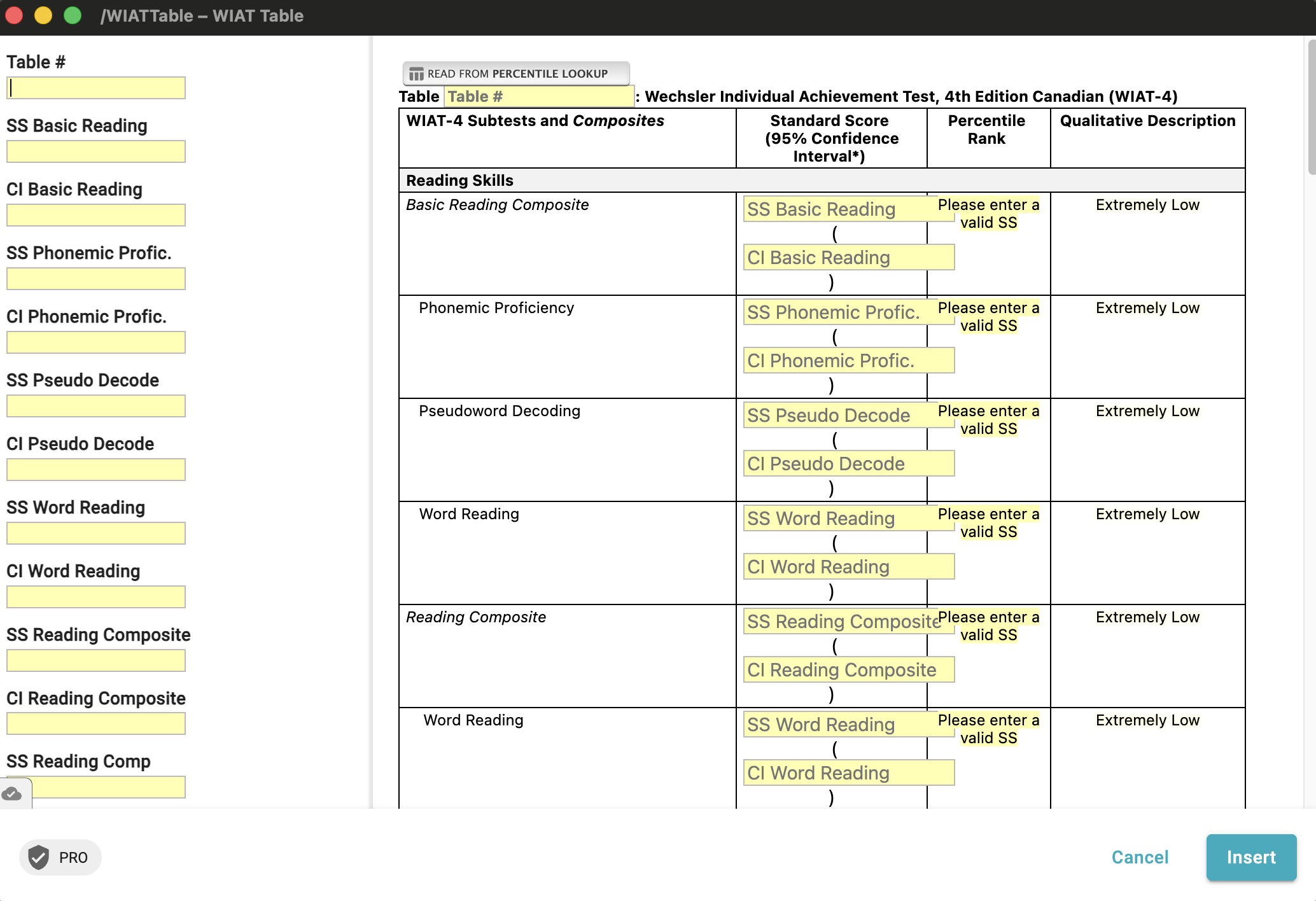
I would love to be able to arrange the order that my data entry appears in the quick entry window. Here's my problem:
I am entering the relevant data from a report that is in a completely different order from the order we display it in our table. This requires a lot of scrolling up and down as I enter the data. I am hoping to rearrange the order that quick entry is in so that I can simply scroll down and enter the next set of data in the order of the document I am taking it from, but it will still populate in the correct order on my table. Does this make sense?
For example, in the attached picture, the second row of my table (phonemic proficiency) is actually found at the bottom of the report that I pull the data from, so I would like to enter it last to make my work flow much faster/easier, but still have it appear in the second row of my table. Is there a way to do this? If not, can it become a feature?
That's an interesting question. Quick entry fields are displayed in the order in which they appear in the form snippet. You can reorder the fields in your form snippet to get them to display in the correct order in the quick entry panel.
In your specific case, you can move these form fields outside the table and put them at the top of your snippet. Then, you can refer to the values of these fields by their name later in the table:
At the top of your snippet:
{note: preview=no}{formtext: name=SS Basic Reading}{formtext: name=CI Basic Reading}...more?{endnote}

Now, in the table:
{=`SS Basic Reading`} ({=`CI Basic Reading`})
When quick entry is enabled, these fields will show in the quick entry panel, even if they are not visible in the main form window.
Let us know if it works for you. In the meantime, I'm moving this post back to our Questions and Help category.
Thank you for your response. This method does work. I still think it would be a nice feature to be able to more easily re-organize these items without having to have a large note at the start of my snippet. On such a large snippet it becomes quite tedious. However, this will do for now.