 Annual User Survey
Please fill out our annual user survey. This feedback will be used to improve Text Blaze! All questions are optional.

As an added bonus, this year we'll be giving a $100 gift card to one random respondent. So you can both have your voice heard and also get a chance to win.
Text Blaze Highlights
 AI Skill for Developing Powerful Snippets
We are launching an AI Skill that makes it easy for your AI assistant to develop powerful snippets. You can add the Skill to ChatGPT, Claude, or most other assistants.
To do so:
- Download the text-blaze-snippets.zip skill file
- Upload the skill file to your assistant. You can do so here for Claude and here for ChatGPT (click the "Add" button and then "Upload from your computer"). For other software, you will probably find the section to do so under "Plugins" or "Customize".
- Ask your assistant to build anything
Here's what ChatGPT generated when we asked it to make a chess game in a snippet. It lets you play chess with an AI implemented completely using a snippet!
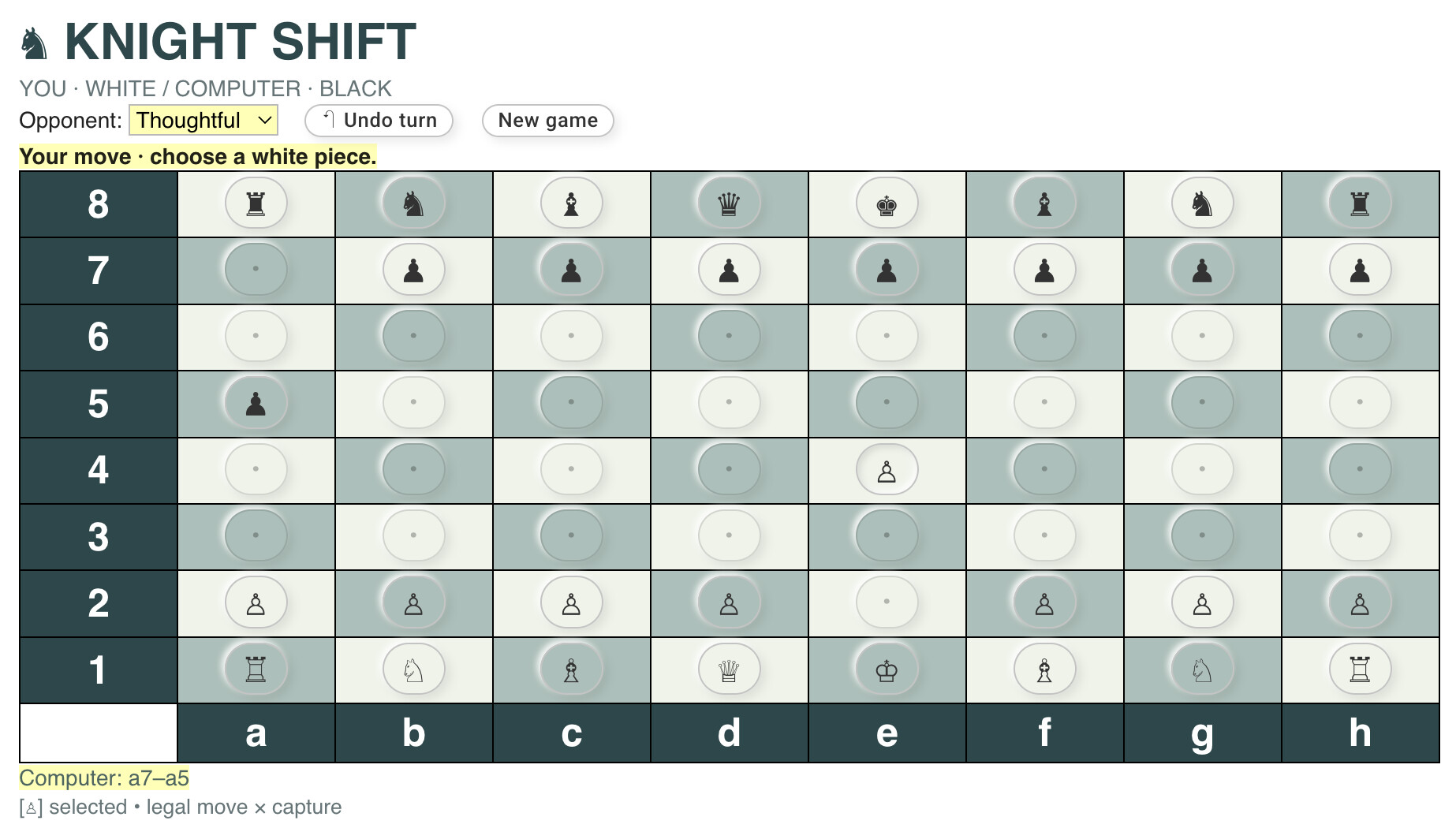
Of course, that's a "toy" example (literally!). In practice, you might ask your assistant to "Review my emails and create snippets from messages I send often," or "Use my company's help center documentation to create snippets to respond to commonly asked customer questions."
Note that we're also developing an MCP server for Text Blaze. We plan to launch that soon.
 AI Autofill Beta
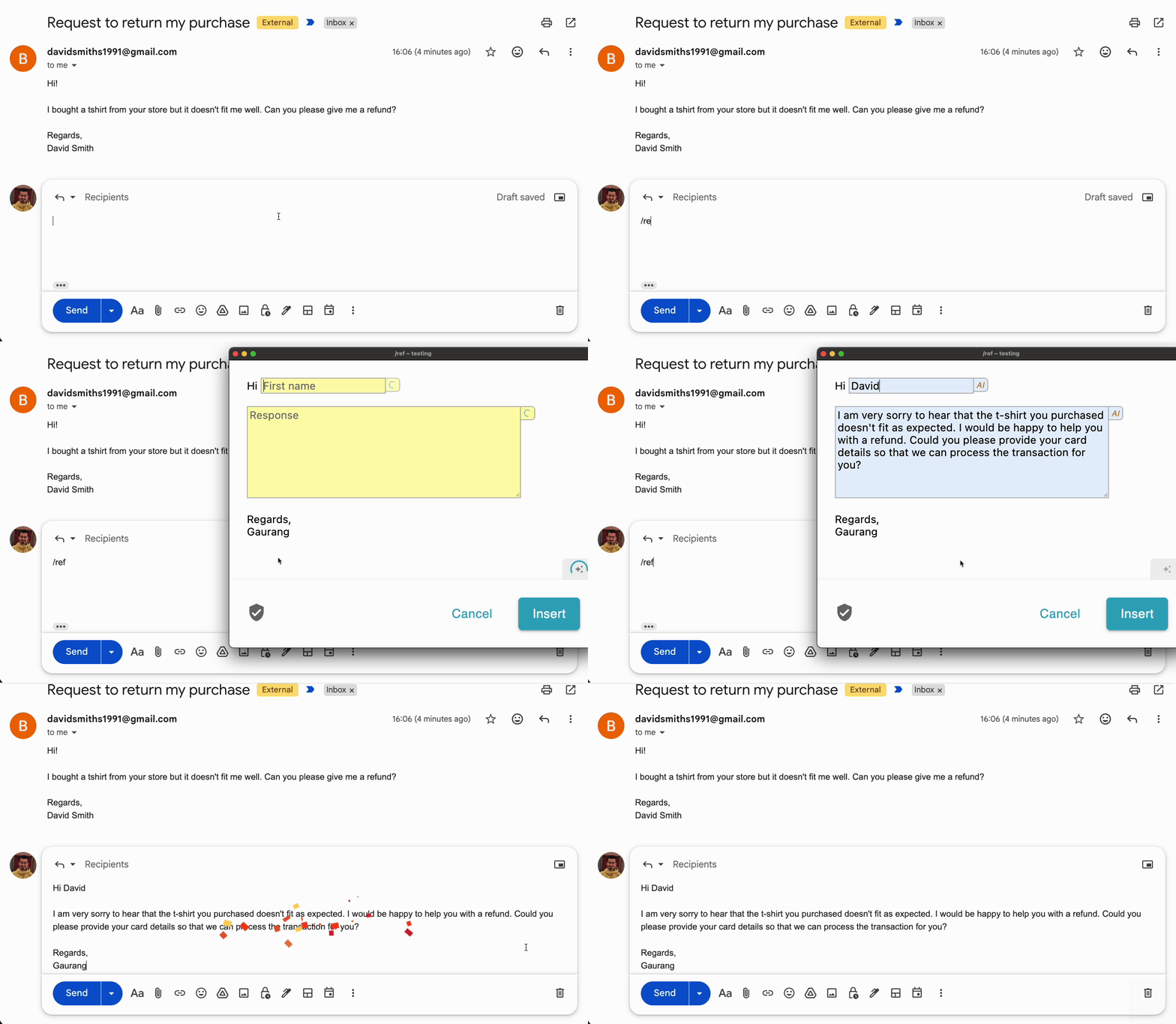
We're announcing a Beta of our new AI Autofill feature. AI Autofill can use AI to draft values for form fields in your snippets. These quick drafts can save you time and help you get more done with fewer mistakes.
If you are interested in testing AI Autofill, please email us at support@blaze.today. The Beta is only open to Text Blaze Business users using the Chrome extension. Participating in the Beta is free, but we may charge for the AI Autofill feature in the future.
Data Blaze Highlights
 Upsert Queries in BSQL
We added Upsert queries to BSQL. In BSQL, if you want to add a row, you use an Insert query. If you want to change the values in an existing row, you use an Update query.
Upsert does both of these things in a single query. If a row already exists, it updates it. If a row does not exist, it inserts a new row.
To use upsert, you specify an ID field that will be used to determine if the row already exists or not (for instance, a SKU ID or a user email). This field must have a unique constraint set in Data Blaze.
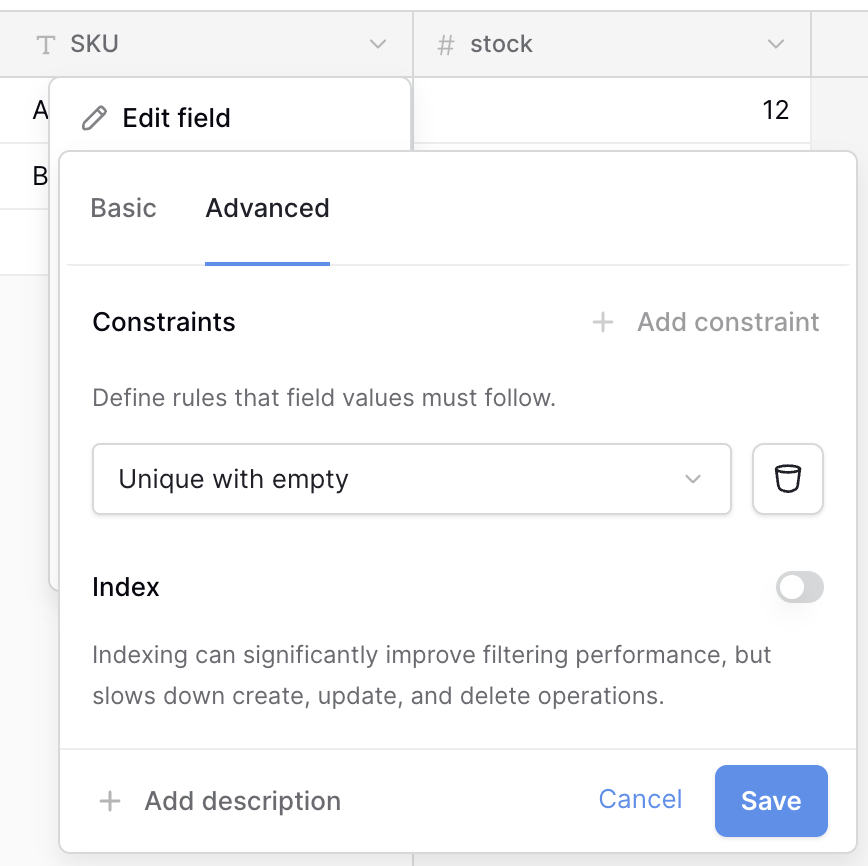
Then you can do an upsert query. For example:
INSERT INTO Products SET sku="A-100", stock=5
ON CONFLICT (sku) DO UPDATE SET stock=10
What this does:
- If no product with SKU "A-100" exists, a new row is created with a stock value of 5.
- If a product with SKU "A-100" already exists, its stock value is set to 10.
Give it a try and let us know what you think!
And remember... 
We're always here for you! If you ever need a helping hand, don't hesitate to drop us a line in our Question and Answer community forums. And if there's something you'd love to see, we'd be absolutely thrilled to hear about it in the Feature Ideas section.