 Annual User Survey
Please fill out our annual user survey – this feedback will be used to improve Text Blaze! All questions are optional.

As an added bonus, this year you'll have a chance to win a $100 gift card. So you can both have your voice heard and also get a chance to win.
Text Blaze Highlights
 New Formatting Options
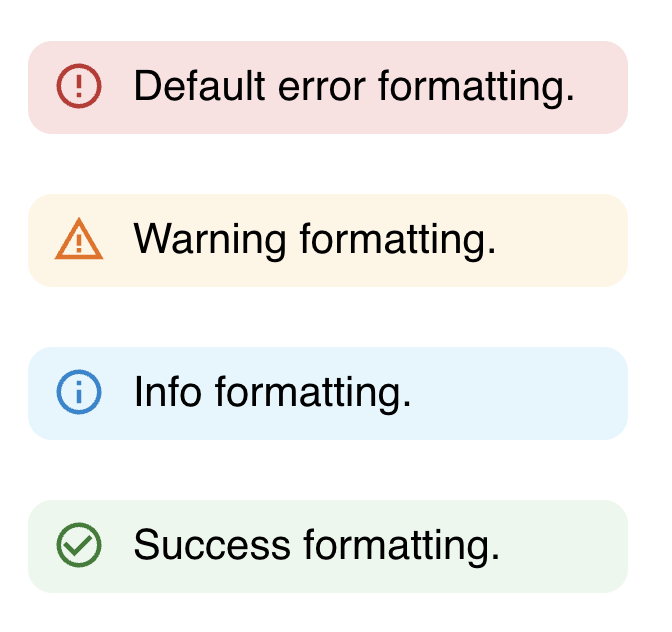
The {error} command can be used to show the user important information they need to act on.
We've extended the {error} command with a new type setting that allows you to select one of four styles: error (the default), warning, info, and success. The command will be styled differently depending on your selection, allowing you to convey different levels of importance.
Here is an example of the styles:
 Usage Statistics Improvements
We made some improvements to the display of usage statistics in the dashboard. These statistics help show how much time you've saved with Text Blaze, either individually or, if you are on our Business plan, as a team.
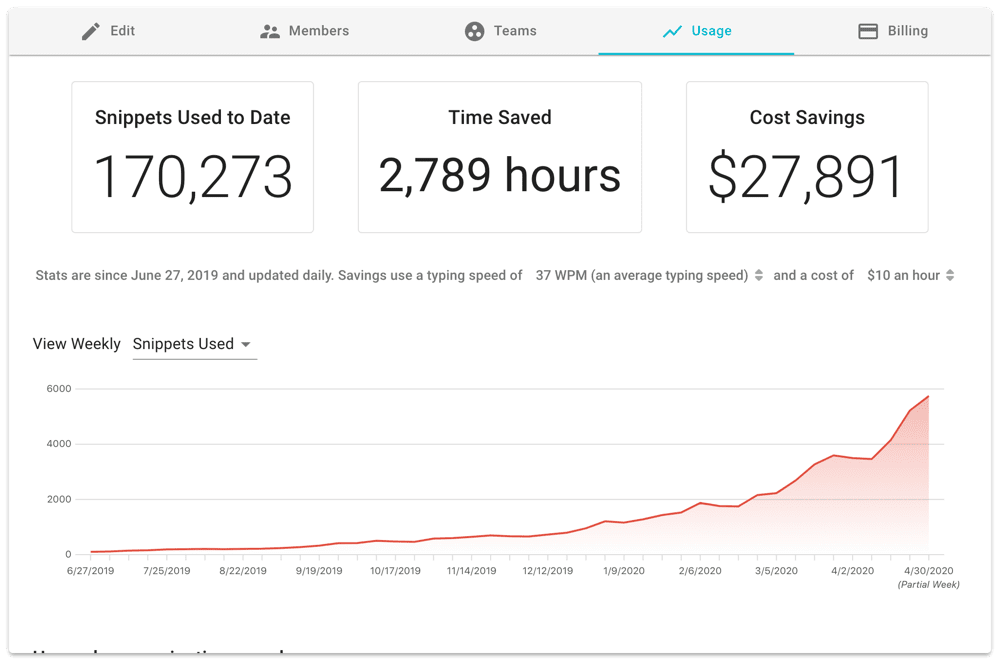
We've made some adjustments to the charts so that they will now display even if you only have a single data point; and also so that the baseline will always be zero, making them easier to interpret.
Data Blaze Highlights
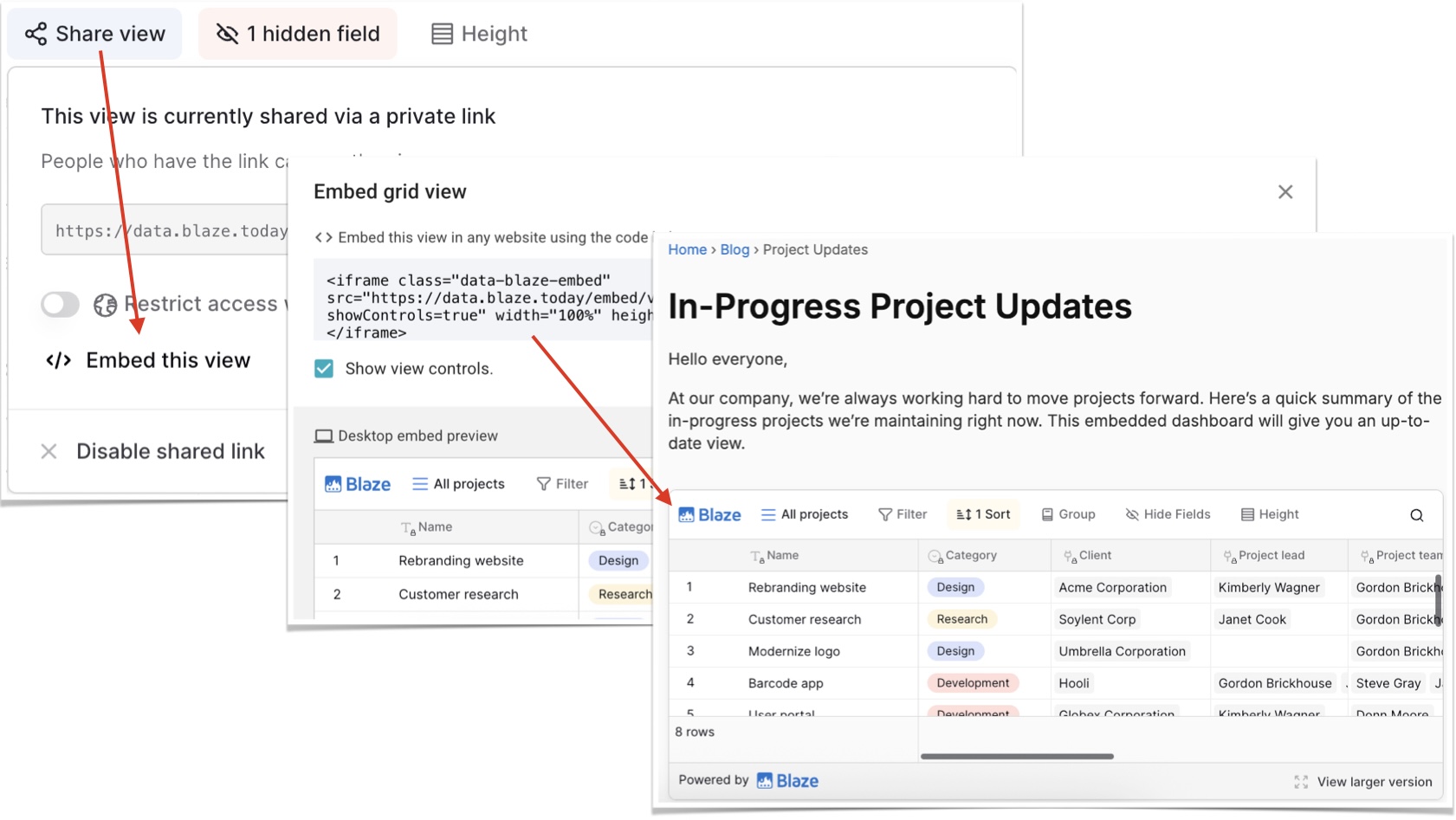
 Embed Public Views with iFrame
Public views can now be embedded directly into any external website, making it easy to display read-only tables or dashboards on blogs, documentation, or other platforms. This makes it simple to present your data to your audience in a seamless way.
 Video of the Month
With Text Blaze, you can now add interactive interfaces with buttons in your snippets! Read more here and check out the video below to learn more! 
And remember... 
We're always here for you! If you ever need a helping hand, don't hesitate to drop a line in our Question and Answer community forums. And if there's something you'd love to see, we'd be absolutely thrilled to hear about it in the Features Ideas section.
