Hey, I'm trying to create a snippet to add an image to a whatsapp conversation. Eg when I type /road, I want Text Blaze to insert a certain image into the conversation window. Just adding the image to the snippet doesn't work however. How can I do this?
Hi @boudewijn
Unfortunately, we do not currently support the use of images in WhatsApp web. We have encountered some technical challenges that have prevented us from implementing this feature. However, we are actively working towards supporting it in the future.
To answer your question, Text Blaze does not have the capability to insert images in WhatsApp web.
could there be a workaround such as copying an image to the clipboard with a snippet? caus' then I could type the snippet shortcode, and hit Cntrl-V after that..
As of now we do not have an alternative, except you manually copy image and paste.
You can put a note and a form field with an image. Which should show image when you use the shortcut. Then you can try copying the image from the popup and paste it into WhatsApp web. Please let me know if that works for you
That is a nice workaround until you get it sorted out. Thanks!
1 Like
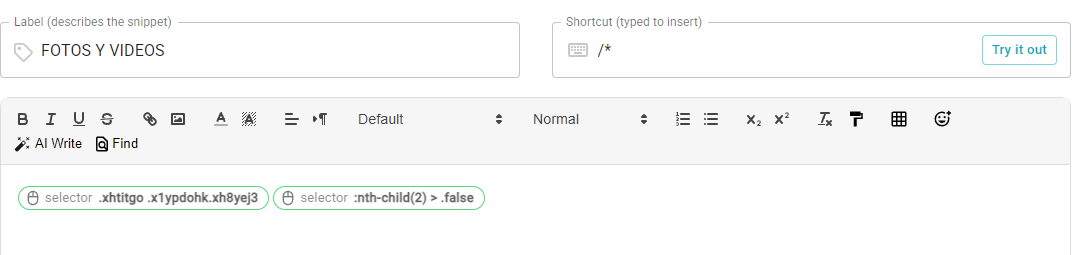
hola actualmente uso este /, pero me funciona en una versión anterior del WhatsApp web es la versión nueva, perdí esta función, he tratado de recuperarla, pero se me ha hecho imposible
Hola @MATEO.ACEVEDO - y bienvenido al foro.
¿Puedes por favor enviar un correo a support@blaze.today? Agendaremos una reunión para ayudarte a configurar estos selectores.
Hi @MATEO.ACEVEDO - and welcome to the forum.
Can you please email support@blaze.today? We'll schedule a meeting to help you set up these selectors.