Musab_K
September 19, 2025, 12:49pm
1
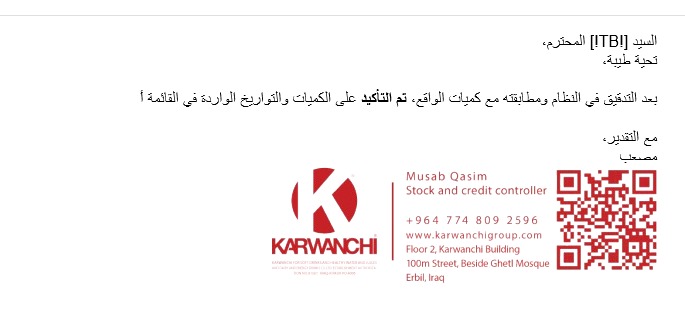
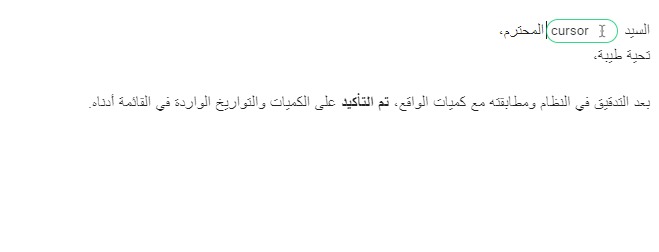
i work in a company which i have to do the same task for different people, i wanted to have the cursor placed so i can type the name every time, but i cant because it glitches on outlook classic, please help me thanks.
i screen recorded here > [google drive](https://drive.google.com/file/d/1mJ7UUHU9ApjNu1Q2tPtguwyNjf6hS44c/view?usp=sharing ) link.
Hi @Musab_K Welcome to the forum!
I just tried a sample snippet with some Arabic text and a {cursor} command, on both New Outlook and Classic Outlook, and it worked fine for me.
Can you please share your exact snippet with me so I can check it further? To share it, please share the folder with me at my email address: gaurang@blaze.today
Musab_K
September 25, 2025, 9:27am
3
Hey @Musab_K I do not have access to the snippet you linked to. To share the snippet with me, please follow these steps:
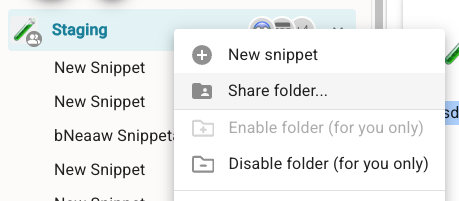
Right-click on the folder name.
Click the "Share folder" button as shown in the image below
Share the folder at my email gaurang@blaze.today with owner permission
Then I will test the snippet and get back to you.
dear @Gaurang_Tandon i only have this screen
check this link
Text Blaze Dashboard
Okay, let us try a different way:
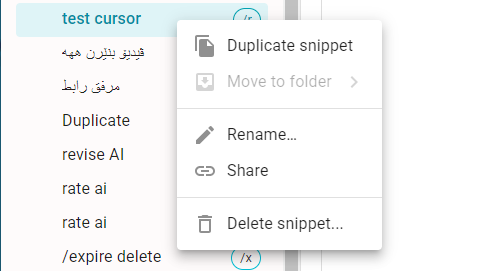
Open the snippet ("test cursor" /r) in your case.
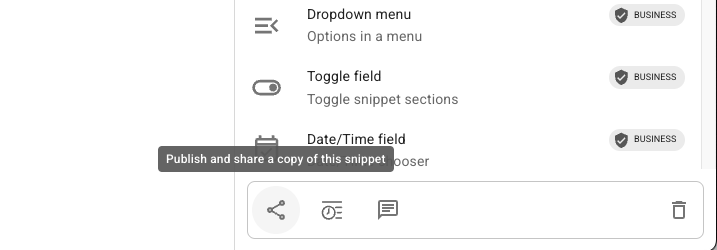
On the bottom right of the snippet, you will have the Share button, as shown in this image:
Click on this button and then a dialog box will open.
Click the "Publish" button in this box.
It will give you a shareable link. Please share that link with me in this post.
OK DEAR I did it Copy of snippet "test cursor"
thank u so much
Hi Musab, we were able to see the issue on our side. We will let you know after we fix it. Thanks for reporting the issue!
Hi @Musab_K ,
Thanks for your patience. The fix will be live by the end of this week. It will be applied automatically to your desktop app.
Musab_K
December 9, 2025, 6:33am
11
Musab_K
December 19, 2025, 7:09pm
12
Dear, Hi, just wanted to give u an update, it sometimes work, but mostly doesnt work and the attached is proof.
Thanks @Musab_K for sharing the video.
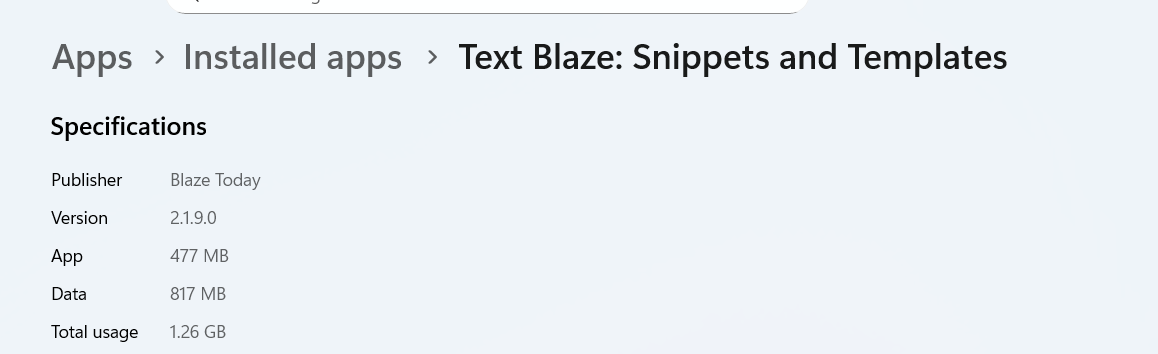
Could you please check which version of the app you’re using? You can find it by going to Settings > Apps > Installed apps, then locating Text Blaze and clicking Advanced options.
Thanks for sharing @Musab_K
We’ve already released the update (v2.2.3.0) that includes the fix in production. It should auto-update automatically, but you can also manually update it from here: Text Blaze: Snippets and Templates - Free download and install on Windows | Microsoft Store
Musab_K
December 21, 2025, 5:25pm
16
thanks, tried to update it many times, i guess im stick to 1.9 version for now
Hi @Musab_K ,
Did you face any errors while updating?
Musab_K
December 24, 2025, 5:21am
18
no i download it, and install it, but then whecn i check the sytsme i still have old version.
Hi @Musab_K ,
Please try uninstalling the app and reinstall it from here .
If that doesn't resolve the issue, please let us know.