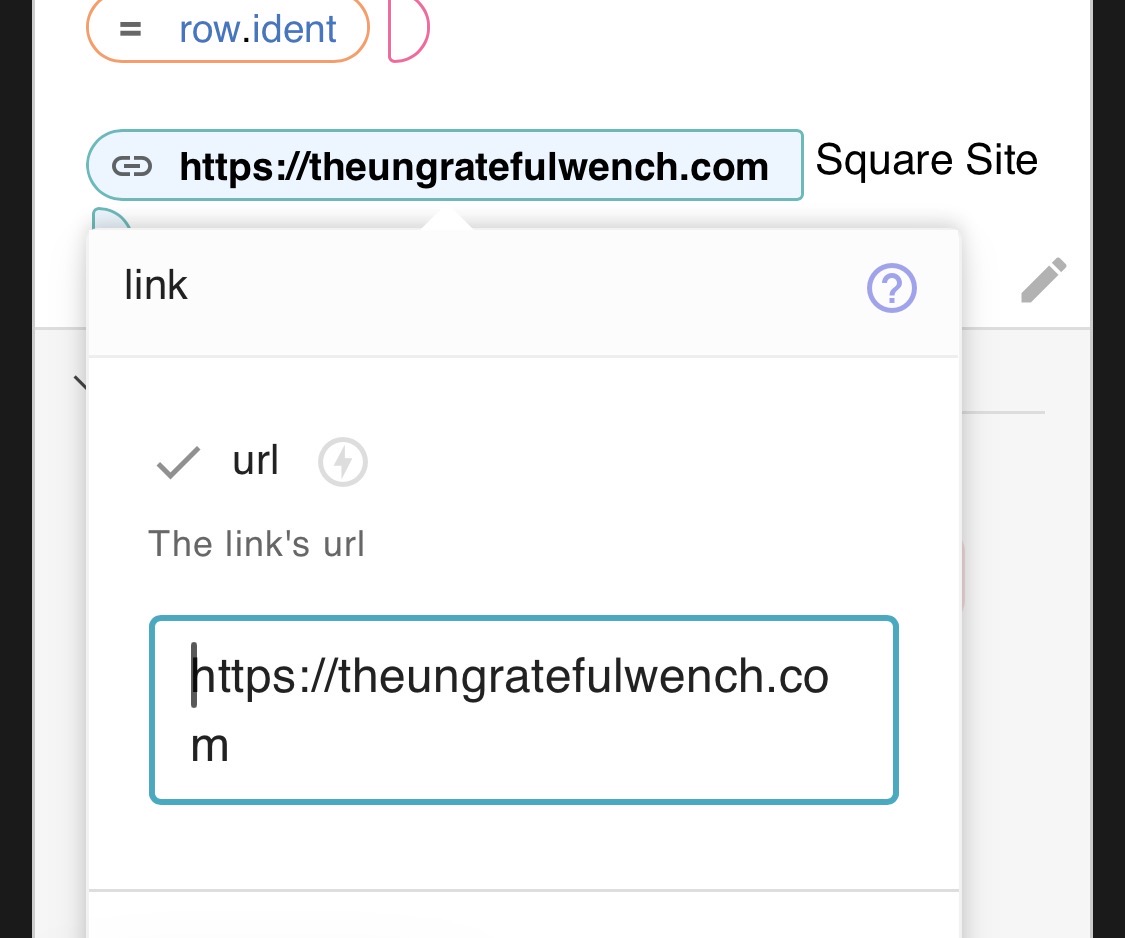
I have created this snippet but cannot get the link to work so think it must be the syntax. Any suggestions welcome.
{formtext: name=colour}{dbselect: SELECT Colourway, Ident FROM Colourways WHERE LOWER(colourway) LIKE @colour&"%" ORDER BY colourway LIMIT 600; space=02HdgZGm0jNamFkoQbvhd3; menu=yes; multiple=yes; name=yarn}
colourway ident
{repeat: for row in yarn}{=row.colourway} {=row.ident}{endrepeat}
{link: The Ungrateful Wench}Square Site{endlink}
@tonydow Good day to you! This is actually a quick easy fix. It’s in the link command pill itself. When you click in there, you need to put in the full URL to your site. I do not know your site address so here is an example given the info you provided.
Hope this helps!
-Brad 
Thanks Brad but the url generated shows The Ungrateful Wench wheras colourway and ident need to be the variables as shown in the table.
Another complication is colourways can have spaces which would need to be replaced with - (hyphens) e.g.
Moules Teal | The Ungrateful Wench
Hi @tonydow,
Could you please share an example of a colourway and ident, and how the URL is generated based on it?
Hi Ashwin. The Colourway is text that can have spaces which would need to be converted to all lower case and spaces converted to hyphens e.g. "Moules Teal" converted to "moules-teal". The Ident is a just a number. Example:
Hi @tonydow,
Thanks for the response.
I think this approach should work using the lower and replace functions. Please let me know if you have any further questions.
I'm afraid I get unknown name "row"
Hi @tonydow,
It happens because the link command should be inside the repeat loop.
Thanks Ashwin. I've added a column to the table and added the link in there which now works. Now I just need to add the unique ident to each of about 700 colourways!