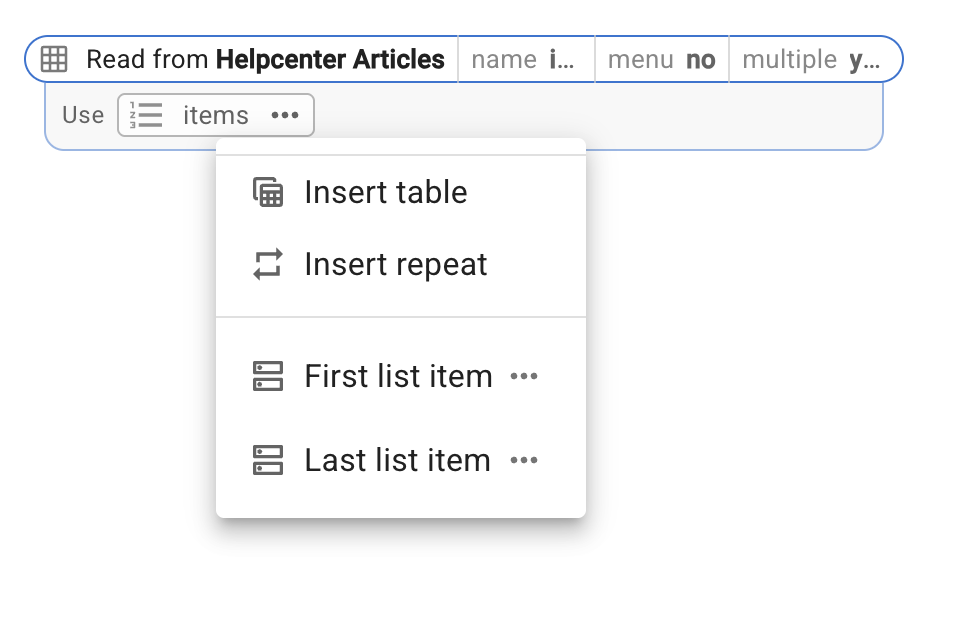
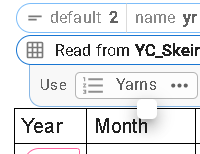
Hi. I have created a new Data Blaze table and this snippet to read from it but if I click on the three dots it just shows a very small box with no entries. Any ideas?
{dbselect: SELECT Year, Month, Colourway, Sequence FROM YC_Skeins ORDER BY Sequence ; space=4caJ3PyGwHeuac22mB2N5F; multiple=yes; menu=no; name=Yarns}
Hi @tonydow - this comman is multi-select without a menu. This means that it will read all the rows from the table.
{=Year} will be a list that contains all the Year values from the table.
{=Month} will contain all the months and so on.
What are you trying to do here?
Thanks for getting back to me Dan. I am hoping to create a table showing Year, Month and Colourway with Year as a variable
I'v tried different combinations of menu and multiple but can't get the Insert Table option to show
You want to use the name setting in the DBRead command. Then the three dots will show you the table option.
{dbselect: SELECT Name, Count FROM Table1; space=id; menu=no;multiple=yes;name=items}
{repeat: for i in items}
{=i.name} -- {=i.count}{endrepeat}
Tried that but get unknown name i
I defined i in my repeat command.
When you set the name setting in DBSelect, the "create table" option will show up
When you use it, the table will look like this (your field names are different)
If it doesn't work, please email me using support@blaze.today
I do have a name in the Read and used i in the repeat. I'll email you tomorrow - 9:15pm here now
I got the {repeat} to work ( I forgot the {endrepeat} ) and, from there, converted it to a table so all good. Still don't see the Insert Table option but it's working. Thanks for your help. Tony
{formmenu: 24; default=25; 26; name=yr; cols=5}{dbselect: SELECT Year, Month, Sequence, Colourway FROM YC_Skeins WHERE year = @yr ORDER BY Sequence ASC; space=4caJ3PyGwHeuac22mB2N5F; multiple=yes; menu=no; name=Yarns}
Year Month Colourway
{repeat: for i in yarns}{=i.year} {=i.month} {=i.colourway}{endrepeat}
Hi @tonydow,
Let me know if you are not getting the insert table option by clicking on the three dots beside Yarns.
No, but added a table mauually and that works
However I've added another Read for a different view and get the Add Table option there
Hi @tonydow,
Could you please share a screenshot of what you see when you click the three dots next to "Yarns" in the first query?
Thanks @tonydow, we were able to reproduce the issue. It will be fixed and deployed to production by next week.
Thanks Ashwin. Good to know it wasn't something I did wrong.
Hi @tonydow,
Thank you for your patience. The issue has been resolved and is now live.
Great! Thanks for letting me know.
I'm still having this issue with the small blank square when clicking the three dots
Hi @tonydow,
Please share the snippet in order to understand it better.