 As a quick reminder, we recently launched Grammit an AI Grammar checker, and would love your feedback on it
  . Over the past month, we've made a lot of improvements to Grammit, including better corrections and a general writing assistant. You can learn more here: Announcing: Grammit an AI Grammar Checker
Text Blaze Highlights
 Find within a snippet
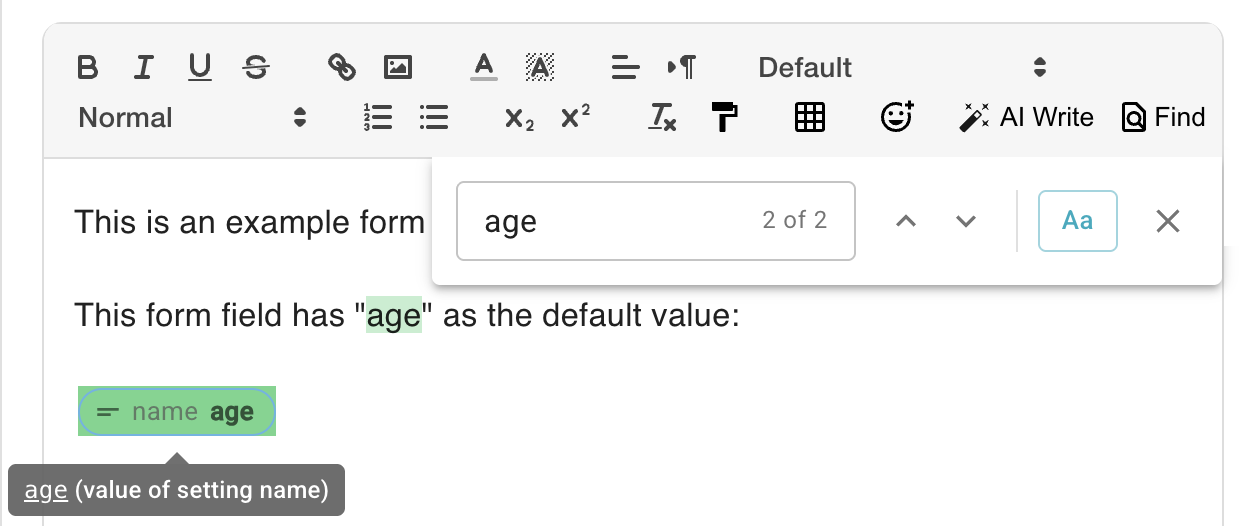
We added a new snippet search feature that makes it easy to find text within a snippet, even when that text is part of a command. To access it, click the new "Find" button in the snippet editor toolbar.
In this example, we're searching for "age" which is found both within the text of the snippet and within the command.
 Increased folder limits
We've increased the number of active folders a Business user can have from 80 to 100. This is particularly helpful for administrators who need to manage folders for multiple teams.
As a reminder, in addition to the 100 active folders, you can have additional disabled folders.
AI Blaze Highlights
 GPT-5 Added to AI Blaze
We've upgraded the GPT-4o models in AI Blaze to GPT-5. GPT-5 provides an incremental improvement over GPT-4o and also OpenAI's prior thinking model, o3. The following are some comparisons from OpenAI:
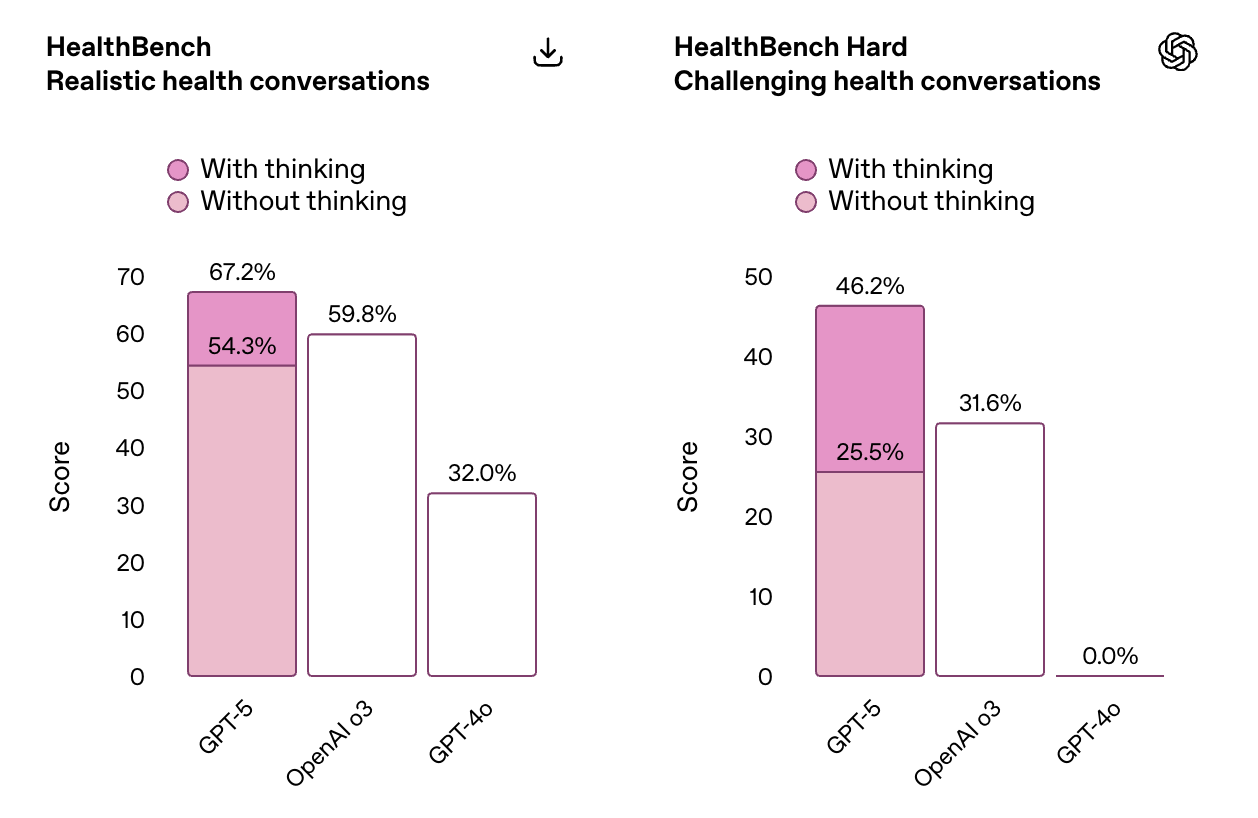
Note that AI Blaze currently uses the non-thinking version of GPT-5, which is the light-pink bar in this figure. We may add support for thinking models in the future.
You can read more about GPT-5 in OpenAI's announcement here: https://openai.com/index/introducing-gpt-5/
 Pay-as-you-go Billing
For users who exceed AI Blaze usage limits, we're experimenting with offering an optional pay-as-you-go feature. When usage limits are exceeded, this would allow you to pay with credits.
We're currently testing this in a closed pilot. If you are interested in testing it, please reach out to support@blaze.today
Data Blaze Highlights
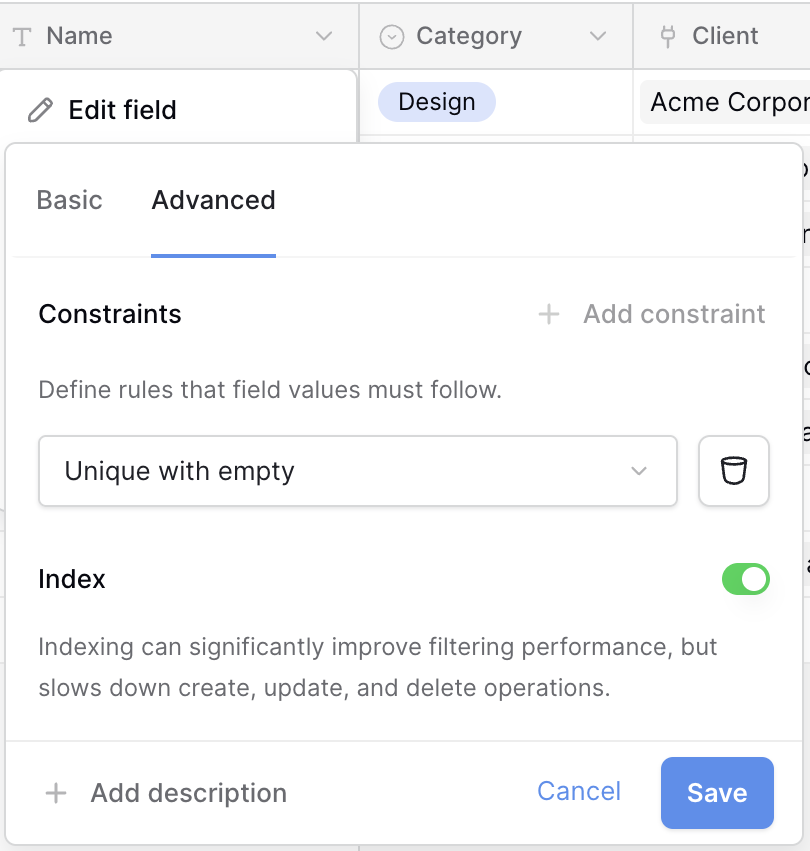
 Advanced Field Options: Constraints & Indexes
New advanced options now let you create unique constraints to prevent duplicate values in a field, along with an indexing feature that can speed up filtering and query performance by up to 4x on large datasets.
 Multiple Row Selection with Checkboxes
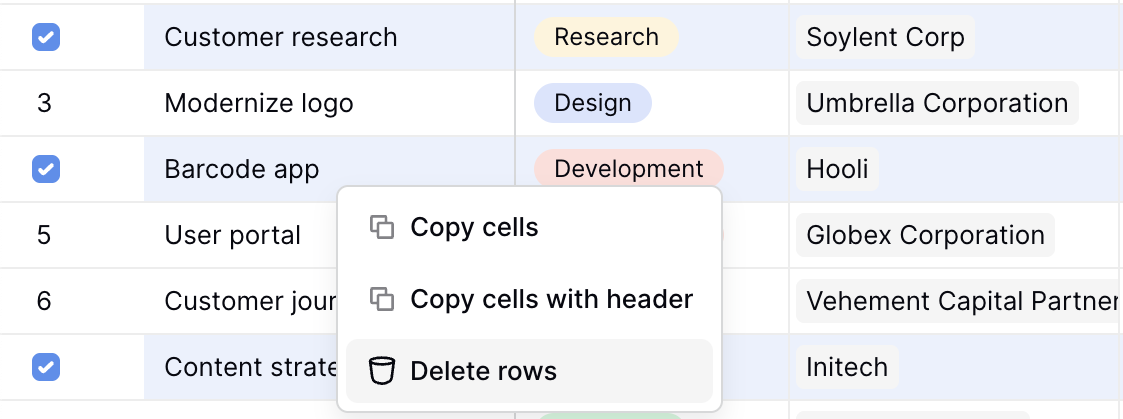
You can now select multiple rows using checkboxes, allowing you to perform bulk actions such as deleting or copying several rows at once. This makes it easier to manage rows that are not consecutive, complementing the existing option to select a range of rows.
And remember... 
We're always here for you! If you ever need a helping hand, don't hesitate to drop a line in our Question and Answer community forums. And if there's something you'd love to see, we'd be absolutely thrilled to hear about it in the Features Ideas section.
