I’m helping a staff member whose Text Blaze shortcuts worked outside Chrome on her Mac for the first day, then stopped. The desktop app is installed and signed in, and Accessibility access is enabled.
We’ve signed out and back in, toggled Accessibility access, restarted the Mac several times, reinstalled the app, and checked the Chrome extension. The shortcuts still don’t work outside Chrome, including in Zoom. What should we check next?
Hi @Benoit_Kabwar,
Welcome to the forum! 
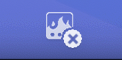
Are the shortcuts working within the desktop app dashboard? Also, do you see a cross icon in the Text Blaze app's menubar? If so, please let us know what the error message says.
Hey Ash,
Thanks for responding. The shortcut works in the Text Blaze desktop app, but it isn’t working in other Mac apps, including Zoom and TextEdit. The icon also isn’t showing an X.
In Chrome, the shortcut only works in Gmail. It doesn’t work on other websites. Could this be related to the user account or a setting we need to change? Is there anything else we should check?
Thanks!
Hi @Benoit_Kabwar,
Thanks for the response. I have sent you an email to schedule a quick troubleshooting call.