I want the ability to have the number of snippets a folder contains to be shown somewhere easy to find, so that folders with larger quantities of snippets can be more efficiently managed.
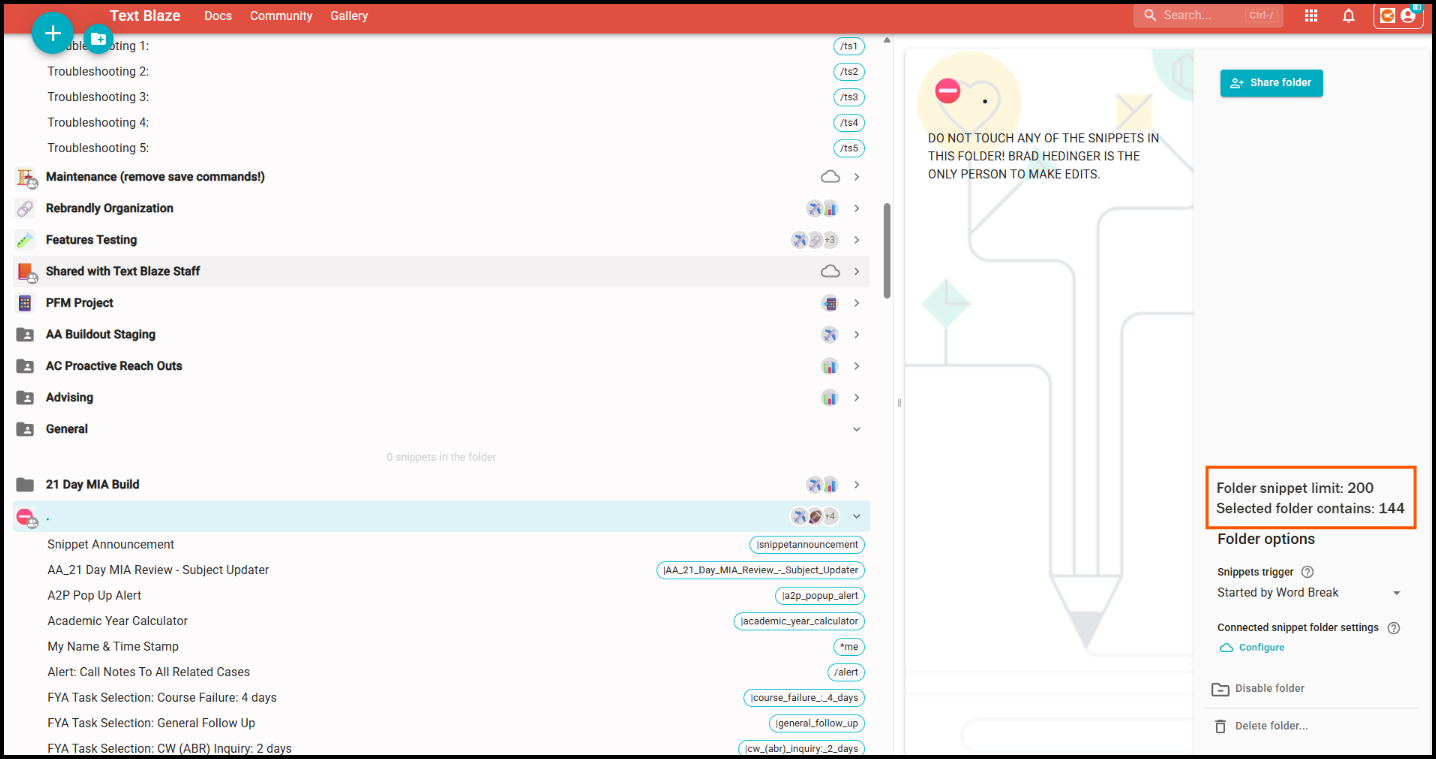
Example: I have a particular folder that contains all the snippets that are the imports into the snippets users across our Org use in the respective parent snippets. I understand that the limit for a folder is 200 snippets. There are a ton in there now but I have no idea how many. It is difficult to count them accurately. I could export to .pdf and try to count that way but they export as objects which Adobe does not particularly like when it comes to trying to select. I could take the .pdf and export it to Excel but Excel treats word wraps in the .pdf as new rows, which throws off the count. It also treats any other data in the export as new rows. Therefore, the most accurate way I found was to export the JSON of the folder, then open in in Visual Studio. Then, do a "find" for how many times "name". appears in the code. This returned 144. So now I know I have 66 snippets left to put in that folder.
Currently, if a folder contains 0 snippets, there is a message indicating that.

Speaking for myself, this is not a valuable message though, because if a folder is empty, its obvious the folder is empty.  I equate that to labeling the contents of clear containers in the pantry. But that's a discussion between my wife and I - not for this forum.
 However, could this message be retained and the tally of snippets in the folder continue to be shown? If not, perhaps the tally could be shown elsewhere like in the right side panel when clicking on the folder. Here is a mockup of that idea:
As always, thank you Text Blaze team for hearing the voices of this community. THAT is what sets you and this product apart in the pack. You do more than host ideas; you hear, discuss, challenge ideas, and implement what makes best sense for the masses. We appreciate you very much!
-Brad 