We use Salesforce for customer communications and when we use a snippet in the email field, it very slowly deletes the shortcut one character at a time and then pastes the snippet.
All other fields it works almost instantly. Any ideas on what could fix?
Chrome Browser
Mac Book
We've tried:
Removing/Installing Text Blaze extension from Chrome
Cleared cache n cookies
Restarted Computer
Checked for Chrome updates
Checked for Computer updates
Reset home network
Issue is for all snippets from basic one word to complex snippets.
I'm also having the same issue for all snippets and most web pages. I enter the shortcut, the sound plays immediately, but then each character of the shortcut is slowly backspaced before the expanded text appears.
For what it's worth, the shortcuts all seem to work fine here in the forums, but most other sites have the same slowdown issue.
On some sites, shortcuts will be deleted character by character. But it should be very fast. If you are seeing this deletion take longer than a second, could you share the site you are on and what the shortcut is?
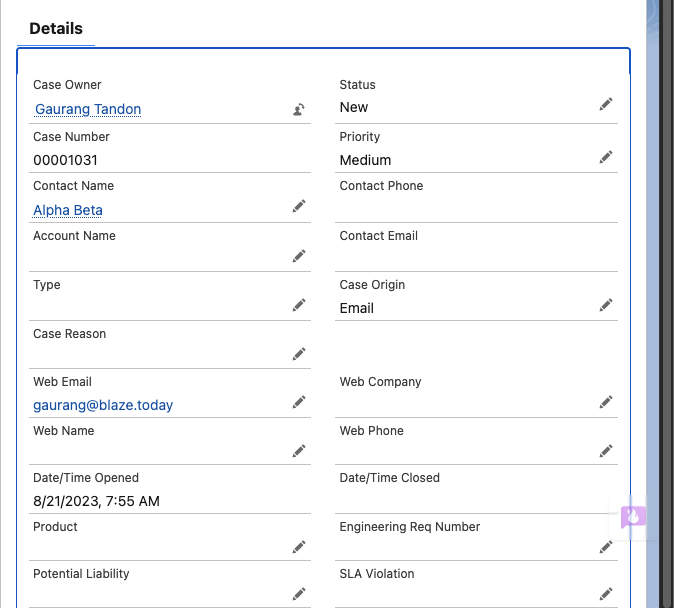
Hello, our team is also experiencing this same issue with SalesForce, specifically in the body of the email composer. We've always used snippets in email replies (which are accessed from the email link at the top of the case, or from the Chatter & Actions section on the right side pane). The shortcut gets entered, then the text is backspaced one at a time slowly before inserting the snippet. While it is a fraction of a second per character, it's a noticeable difference from how instantaneous it normally is.
Other fields, such as the search bar or case detail fields, operate at normal speed. Other websites also function normally.
Hi @peter.nguyen Thanks for letting us know about that. We've identified the issue with Salesforce's Email composer, and a 3x speedup should be on its way next week A further speedup will hopefully be available in the week after.
Thanks for your patience, and I apologize for this inconvenience! I'll keep this thread posted with updates.
Hi @peter.nguyen and @Chance_Best the latest Text Blaze version 3.3.4 should be 3x faster when deleting the shortcut in Salesforce's Email Templates field. We'll work on further speedup in the coming weeks, but I hope this alleviates your primary concern in the meanwhile.
Please let us know if any of you faces any other issues, thanks!
I am also experiencing this issue. I type in my shortcut and it deletes a letter about every second before populating the text. This is happening on Zoho Desk in both the notes and email fields.
Hi @Michael_Mathews Welcome to the forum! Can you please install the version 3.3.4 from the Web Store and let me know if it improves the speed? I just tested on a free trial of Zoho Desk and got better speeds on it with version 3.3.4.
I removed the extension and updated to 3.3.4 and it is still deleting a single letter at a time slowly. It is a bit faster (maybe 600 ms instead of a full second) but it is still much slower than when I first installed the extension.
Thanks for the confirmation. A fix for this issue is live in the Beta version of Text Blaze. If you're interested, I can add you to the Beta release of Text Blaze (please let me know). Otherwise, I'll keep this thread updated once the fix is available in the public version.
This issue is now fixed in version 3.3.5. Shortcut deletion should now be as fast as it was two months ago. You can install the new version from the Web Store:
Make sure to reload Salesforce/Zoho Desk after reinstalling the extension. Thanks for your patience! If you still face the issue, please feel free to let us know.

 A further speedup will hopefully be available in the week after.