Text Blaze or Data Blaze for Shopify bulk-edit

Hi all :slight_smile:

I'm running in a dead end with my snippet :frowning:

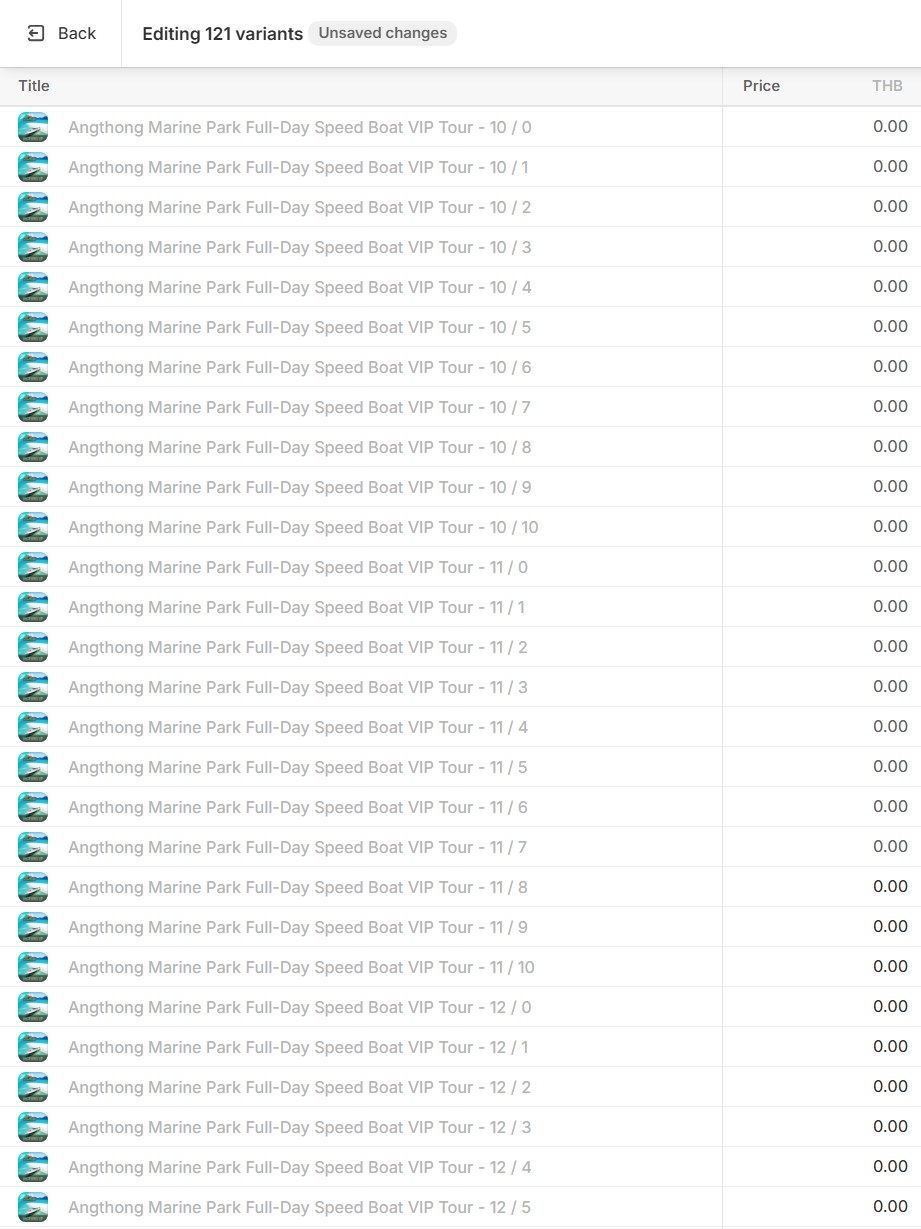
The situation: I have a Shopify bulk-edit table where I extract all 'ProductVariantTitleText' that contain the amount of adults and children. The output looks like that:

["Angthong Marine Park Full-Day Speed Boat VIP Tour - 10 / 0", "Angthong Marine Park Full-Day Speed Boat VIP Tour - 10 / 1", "Angthong Marine Park Full-Day Speed Boat VIP Tour - 10 / 2", "Angthong Marine Park Full-Day Speed Boat VIP Tour - 10 / 3", "Angthong Marine Park Full-Day Speed Boat VIP Tour - 10 / 4", "Angthong Marine Park Full-Day Speed Boat VIP Tour - 10 / 5", "Angthong Marine Park Full-Day Speed Boat VIP Tour - 10 / 6", "Angthong Marine Park Full-Day Speed Boat VIP Tour - 10 / 7", "Angthong Marine Park Full-Day Speed Boat VIP Tour - 10 / 8", "Angthong Marine Park Full-Day Speed Boat VIP Tour - 10 / 9", "Angthong Marine Park Full-Day Speed Boat VIP Tour - 10 / 10", "Angthong Marine Park Full-Day Speed Boat VIP Tour - 11 / 0", "Angthong Marine Park Full-Day Speed Boat VIP Tour - 11 / 1", "Angthong Marine Park Full-Day Speed Boat VIP Tour - 11 / 2", "Angthong Marine Park Full-Day Speed Boat VIP Tour - 11 / 3", "Angthong Marine Park Full-Day Speed Boat VIP Tour - 11 / 4", "Angthong Marine Park Full-Day Speed Boat VIP Tour - 11 / 5", "Angthong Marine Park Full-Day Speed Boat VIP Tour - 11 / 6", "Angthong Marine Park Full-Day Speed Boat VIP Tour - 11 / 7", "Angthong Marine Park Full-Day Speed Boat VIP Tour - 11 / 8", "Angthong Marine Park Full-Day Speed Boat VIP Tour - 11 / 9", "Angthong Marine Park Full-Day Speed Boat VIP Tour - 11 / 10", "Angthong Marine Park Full-Day Speed Boat VIP Tour - 12 / 0", "Angthong Marine Park Full-Day Speed Boat VIP Tour - 12 / 1", "Angthong Marine Park Full-Day Speed Boat VIP Tour - 12 / 2", "Angthong Marine Park Full-Day Speed Boat VIP Tour - 12 / 3", "Angthong Marine Park Full-Day Speed Boat VIP Tour - 12 / 4", "Angthong Marine Park Full-Day Speed Boat VIP Tour - 12 / 5", "Angthong Marine Park Full-Day Speed Boat VIP Tour - 12 / 6", "Angthong Marine Park Full-Day Speed Boat VIP Tour - 12 / 7", "Angthong Marine Park Full-Day Speed Boat VIP Tour - 12 / 8", "Angthong Marine Park Full-Day Speed Boat VIP Tour - 12 / 9", "Angthong Marine Park Full-Day Speed Boat VIP Tour - 12 / 10", "Angthong Marine Park Full-Day Speed Boat VIP Tour - 13 / 0", "Angthong Marine Park Full-Day Speed Boat VIP Tour - 13 / 8"]

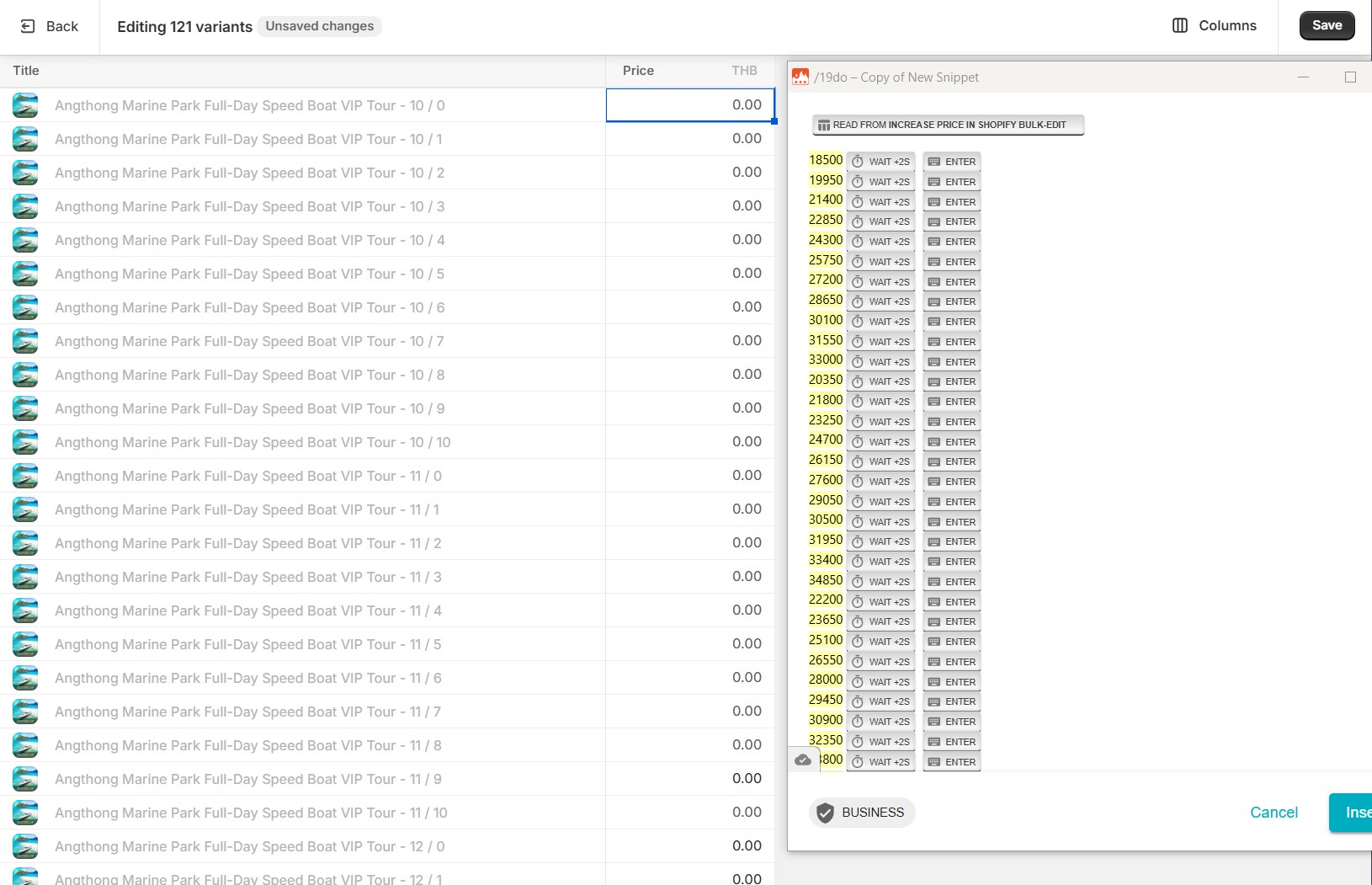
Then I extract the amount of adults and children and count it with the correct price. So far so good and that's all work, but when I want to insert the results in the table, it first inserts the first amount, and then it inserts the second amount, but with the first total (18500), some empty space and then the correct total.

Unfortunately, the table will always use the first numbers, so it always inserts, 18500 for each line. I tried already many different ways, but nothing will work and since I don't have experience with Data Blaze, I'm not sure if I can get rid of it with Text Blaze or do I need Data Blaze because it's a table?

Thank you for any answer or idea!

{price_adult=1850}
{price_child=1450}
{product_text=catch({site: text; page=https://admin.shopify.com/store/; selector=._ProductVariantTitleText_gbwkp_6\ ; multiple=yes}, "")}
{if: islist(product_text)}
{repeat: for item in product_text}
{adults=catch(extractregex(item, "(\d+)\s
/"), "0")}
{children=catch(extractregex(item, "/\s*(\d+)"), "0")}
{adult_total=adultsprice_adult}
{child_total=children
price_child}
{total=adult_total+child_total}
{=total}{key: enter}{endrepeat}
{else}{error: CHECK! Nothing found!}{endif}
Hi @Sam_Samui,

Could you please share how you’re inserting data into the Data Blaze table? Are you using the {dbinsert} command? If so, could you share the exact command you’re using in your snippet?

This will help us better understand the issue.

Sorry for not expressing myself correctly, but I don't know anything about Data Blaze! I just use Text Blaze and enter the shortcut for the snippet in the first row of the table. So I don't know what you need exactly?

Okay, understood. Instead of running the snippet in Data Blaze to insert rows, you can use our {dbinsert} command for more control and structured data insertion. I’ve created an example for you—let me know if you have any further questions about it.

{price_adult=1850}
{price_child=1450}
{product_text=catch({site: text; page=https://admin.shopify.com/store/; selector=._ProductVariantTitleText_gbwkp_6\ ; multiple=yes}, "")}
{if: islist(product_text)}
{repeat: for item in product_text}
{adults=catch(extractregex(item, "(\d+)\s/"), "0")}
{children=catch(extractregex(item, "/\s*(\d+)"), "0")}
{adult_total=adults*price_adult}
{child_total=children*price_child}
{total=adult_total+child_total}
{=total}{dbinsert: INSERT INTO dbinsert SET Title=@item, Price=@total; space=id; autoaddfields=yes}{endrepeat}
{else}{error: CHECK! Nothing found!}{endif}
Thank you very much, AshwinMittal :folded_hands:

I just get my first steps with Data Blaze and get already the next problem. I could import the data from {product_text=catch({site: text; page=https://admin.shopify.com/store/; selector=._ProductVariantTitleText_gbwkp_6\ ; multiple=yes}, "")} but how I can now import the results of the additions from TB to DB? or can Data Blaze count it? if yes, how can I say to DB that the first number is adult and the second is child and then multiplicate it with the price at the top of the table?

Sorry, I'm really a noob :frowning:

In order to read the data from Data Blaze and perform operations like count on it, you can use {dbselect} command in Text Blaze. Let me know if you have questions about it.

Thanks, I play around with Data Blaze, and it's looks like, it's also same easy as Text Blaze. Will try to get a solution, otherwise will ask for your help again :slight_smile:

One more time, thank you very much for your help! :folded_hands:

1 Like

Okay, after playing around, it's the same problem with insert the results, as I have via text blaze output :frowning:

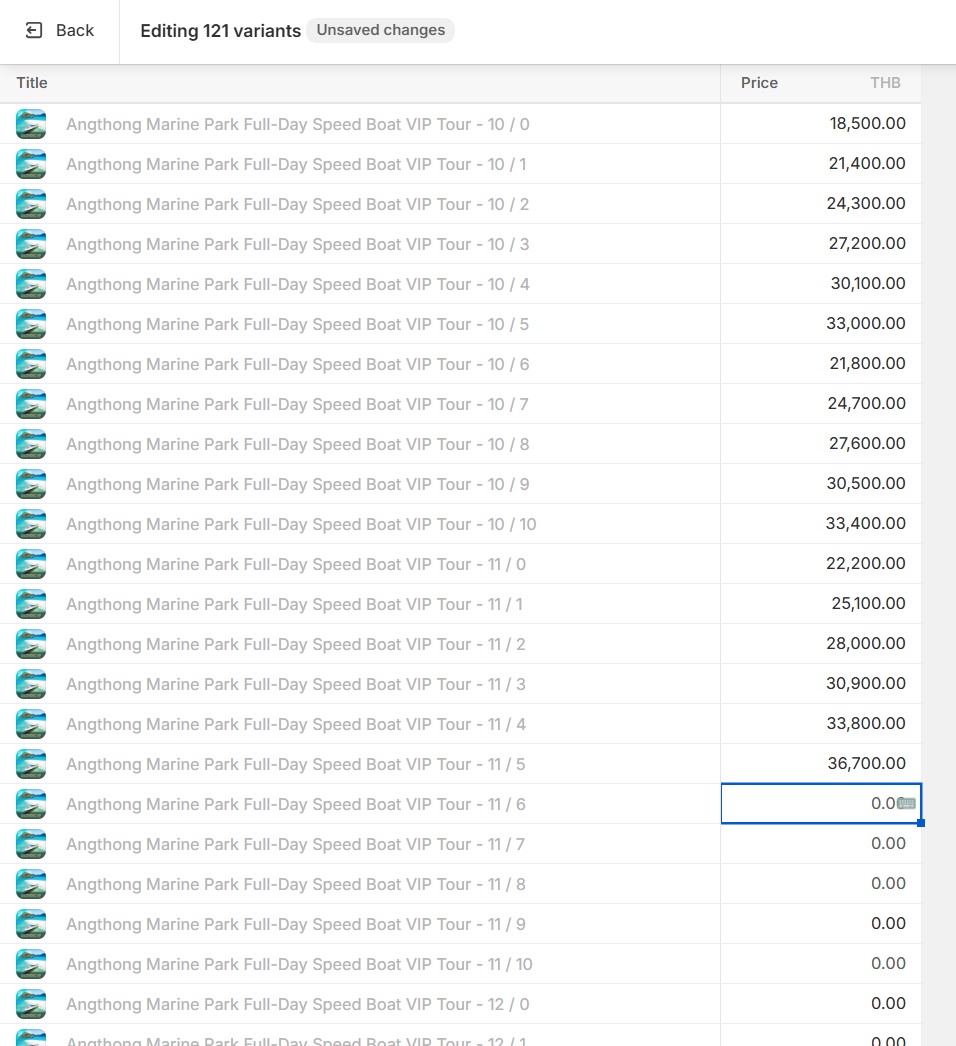
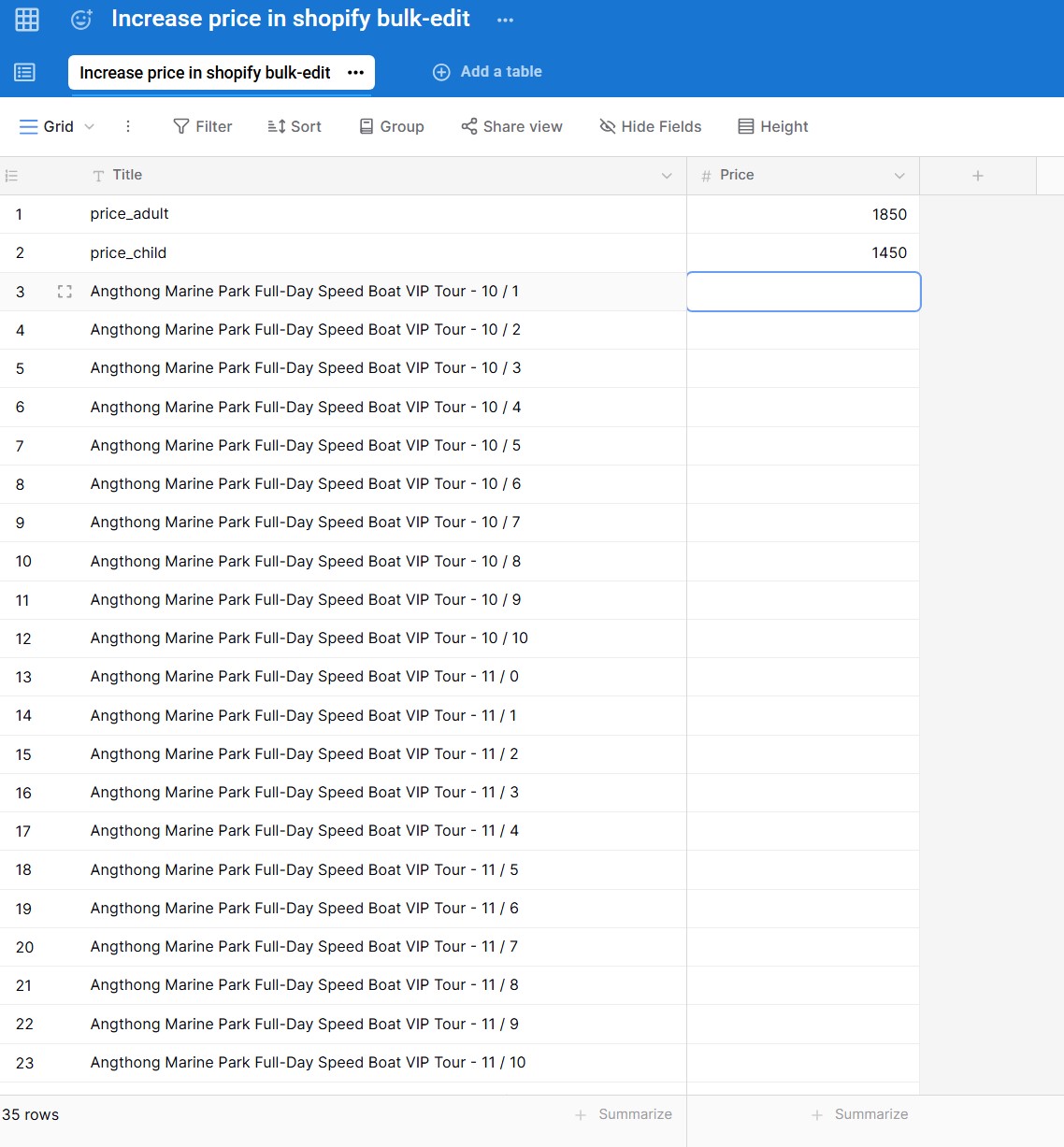
As you can see on the pictures, it shows again everything correct in the snippet preview, but then it inserts some results, jump over some results, and stop after a few lines in Shopify bulk-edit :cry:

I also tried with a delay of 2 sec, but will also not fix the problem.

Is it a bug, or how could I get rid of it that it insert all results?


Hi @Sam_Samui,

I’ve sent you a direct message to schedule a call to help you get started with Text Blaze and Data Blaze.

@AshwinMittal thank you very much again for your help!

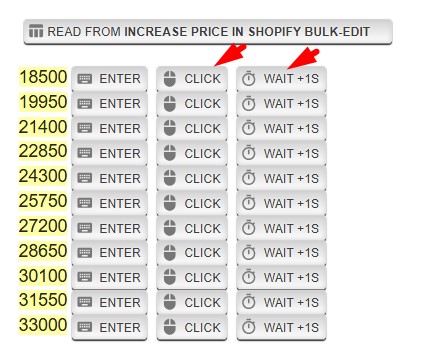
Just for others that have the same problem. The solution was just to add a click and a delay after the 'enter', and now it will insert all results in the correct line.

1 Like

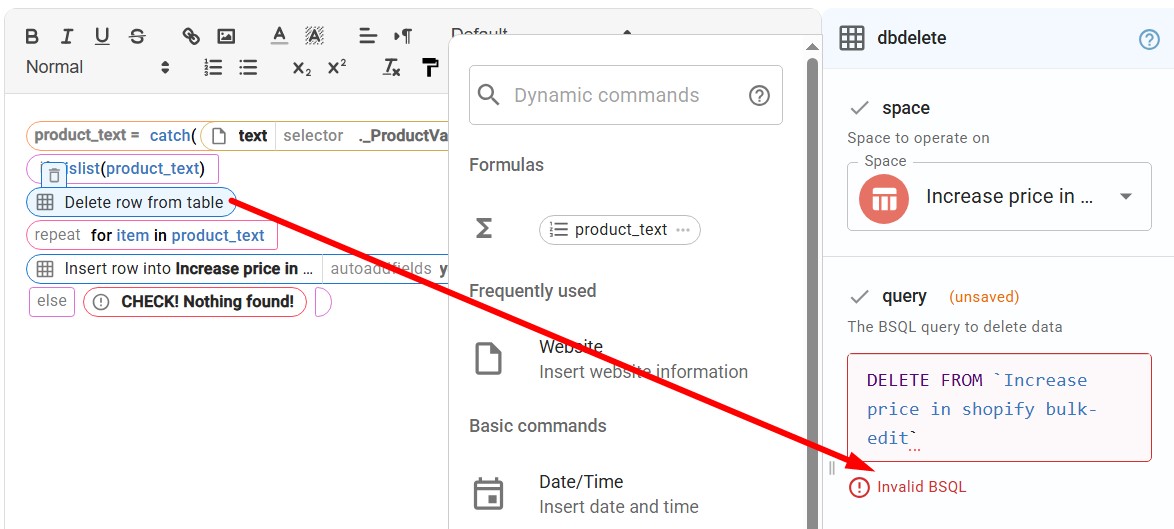
@AshwinMittal sorry, to disturb again, but now I ran into the problem, that I can't delete the whole table, before inserting the new data. I try already with {dbdelete: DELETE FROM Increase price in shopify bulk-edit; space=6UM5HMFdAEpR5HnQeR4Wa4} but there is a problem with 'Invalid BSQL'

and also {dbdelete: DELETE FROM Increase price in shopify bulk-edit WHERE Title <> @item; space=6UM5HMFdAEpR5HnQeR4Wa4} but there is a problem with delete to many rows :cry:

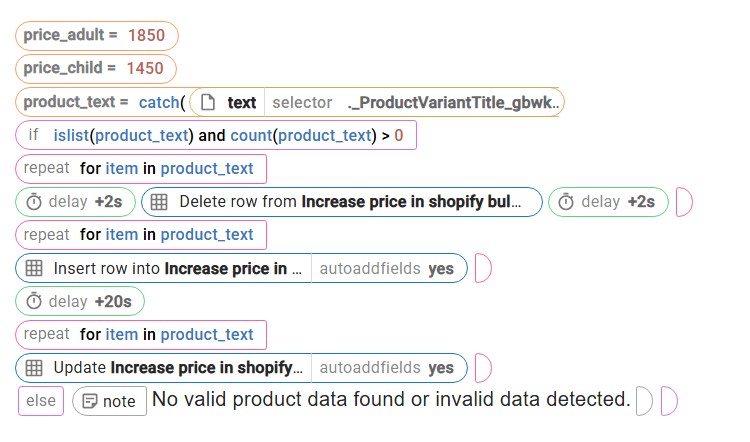
that's the current state of the snippet:

I read somewhere that you have to give access in Data Blaze, but can't find any menu to do that :cry:

Can maybe someone help with that?

It is not possible to use dbdelete command to delete multiple rows. You can delete only one row. We do support bulk delete with API calls. If you're comfortable with API calls, you can:

  1. Create API token (follow instructions here).
  2. Follow an example in "API Documentation" page for your space. Make sure to enable batch mode in top right side of the documentation for batch example.
  3. It will require all row IDs that need to be deleted, to fetch all row, make another API call to get those IDs.

Alternatively you can try to manually delete these rows in the Data Blaze UI. That can work if you have relatively small amount of rows.

Dear Mansur_Kutybayev, thanks for your suggestion, but I'm really not familiar with API calls and at this point I think that Data Blaze is senseless for my use case.
Since it was since beginning only the insert problem, I will go back to solve the problem with just use Text Blaze. There are too many new problems with Data Blaze, then solutions, but thanks everyone, anyway!!! :folded_hands:

@Sam_Samui - please reach out to us at support@blaze.today