Okay, I have a crazy idea, and I'm not sure if TB can make it happen. I review my students' gradebooks every day before texting them what their next assignment should be. With 160 students, this takes up a lot of time. I wanted to see if there was a way for TB to read the data on a website and then, using formulas, return the information that I am looking for.
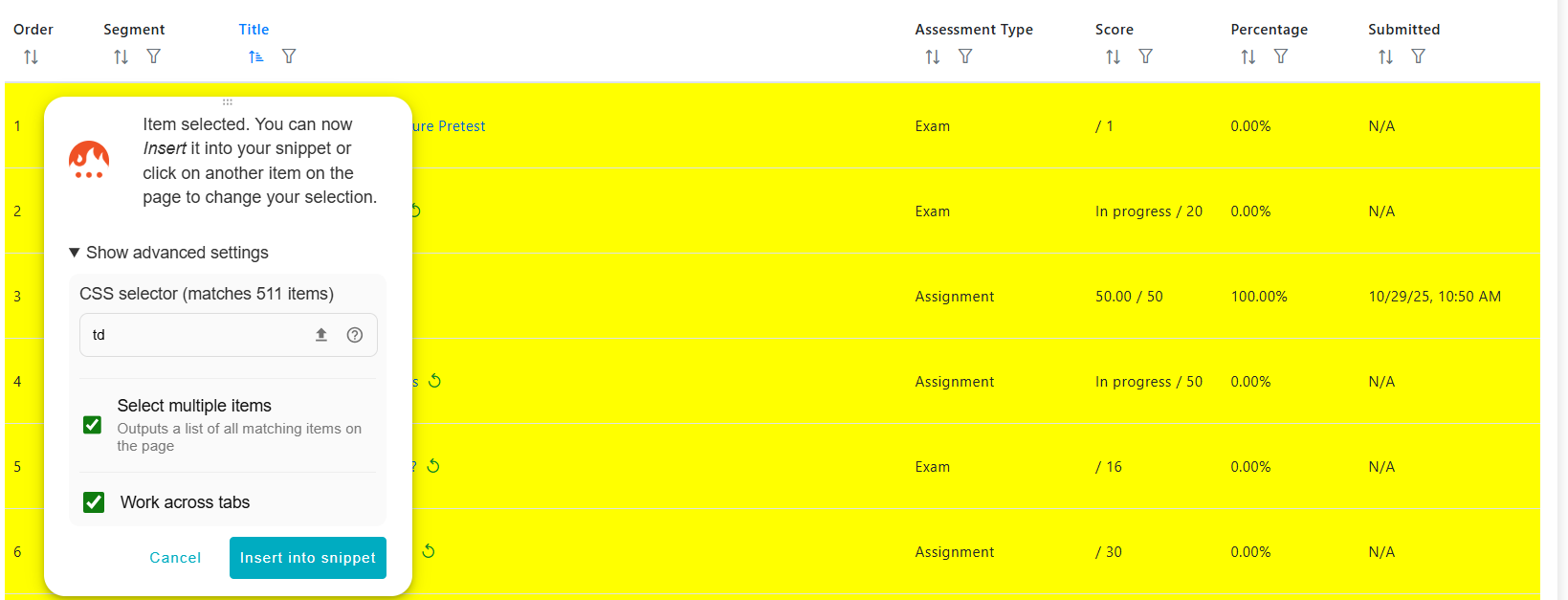
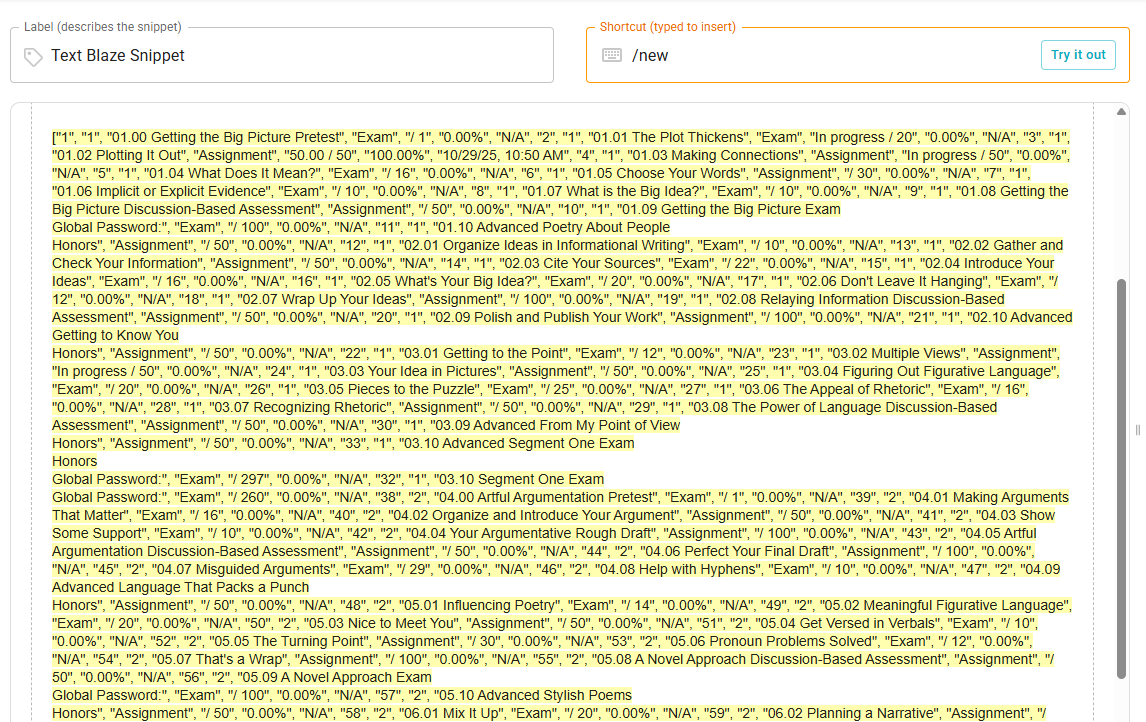
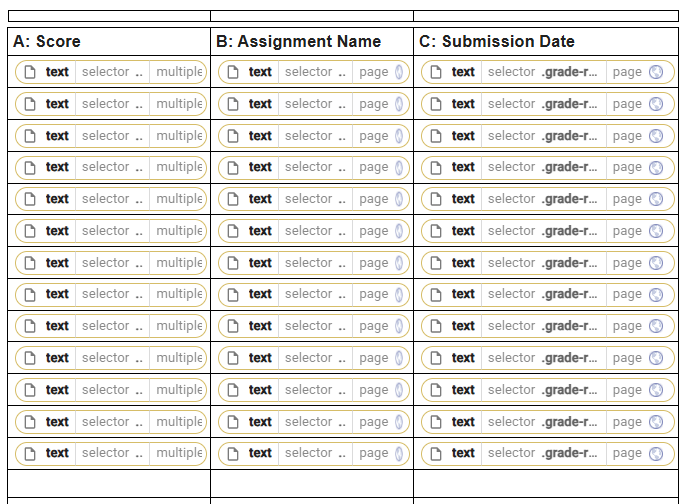
Here is the gist of it. I created a table and I am going down the line and adding the information I need for each of the 60 assignments that students are required to complete. It looks like this:
Side note: if there is an easier way to retrieve this information from the website, let me know.
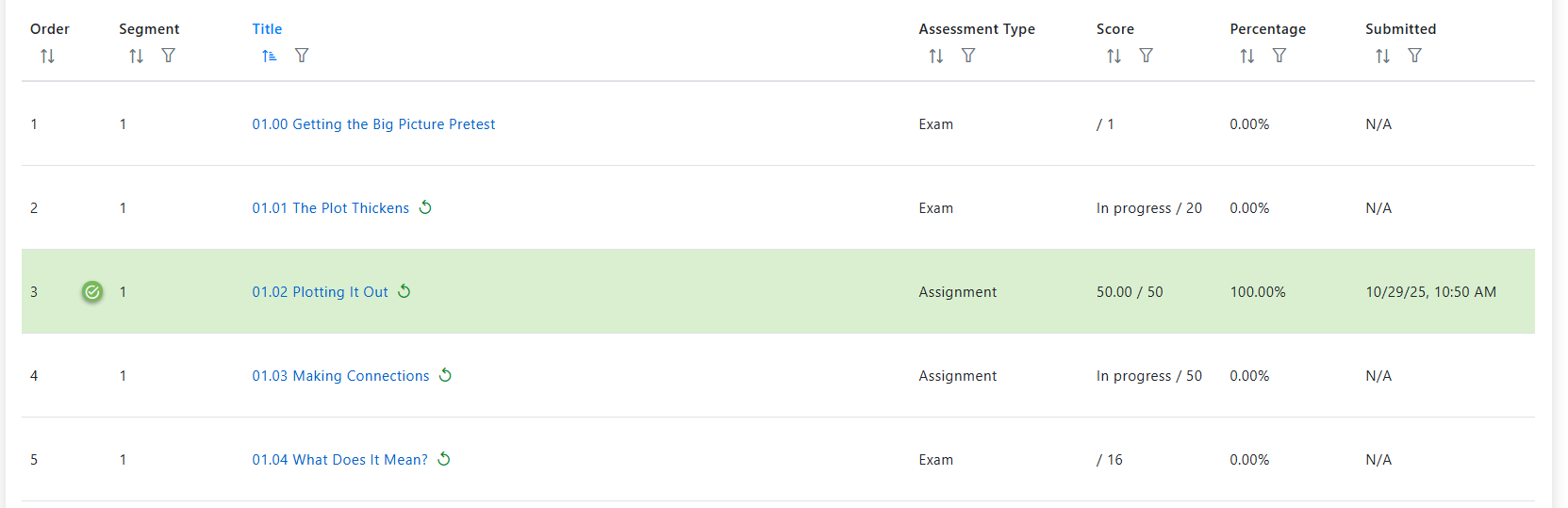
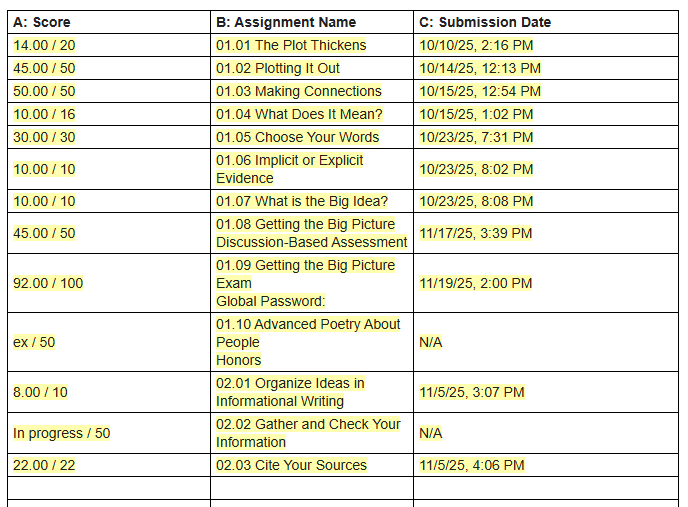
This is what it looks like once the system reads it:
Here is what I would need the formulas to do:
Formula #1: Goal: return the name of the next assignment due that has not been exempted.
Essentially, I need the formula to go down the list to each row in the "C: submission date" and find the next row that says "N/A" where the column score does not include "ex" in it. This would mean that the student has not completed this assignment, and the assignment is not exempted, so this would be the next assignment they would need to complete. In the previous example, that would be "02.02 Gathering and Check Your Information". Although 01.10 is the first "N/A' on the list, the formula would ignore this one because the score includes "ex" in it.
Formula #2: Goal: Identify if a student is skipping
The formula would need to be able to identify if there have been assignments submitted after the next available "N/A" assignment. For the example given, the student has submitted 02.03 and not 02.02 because 02.03 has a score. This means that the student has skipped an assignment.
Formula #3: Goal: Identify when a specific assignment is due.
The formula would identify the name of the next assignment due, but when that assignment name includes the words "Discussion-Based Assessment" the formula would instead of returning the name of the assignment would return the phrase: "DBA Needed"
Formula #4: Goal: Return the names of the assignments completed the previous week.
The formula would need to read the dates in column C and return the assignment name of any assignment that was completed the previous week, Monday-Sunday.
Lastly, when returning the name of the assignment, I only want the numbers, not the words or the initial zero.
In this example, the formulas should return:
Next Assignment Due: 2.02
Assignments Submitted Last Week: None
Skipping: Yes
In this other example, the formulas should return:
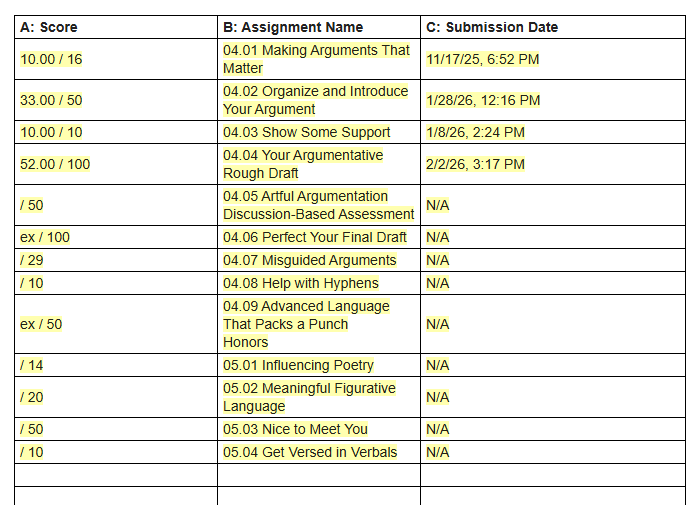
Next Assignment Due: DBA Needed
Assignments Submitted Last Week: 4.02
Skipping: No