Hi Matthew,
Thanks for reaching out! If I understand correctly, you want to be able to output a dynamic table in Text Blaze that can be filtered by keywords you input, which can match any of the column values in your Data Blaze. If you just wanted to match one column, you could more easily do this with the built-in conditions in Data Blaze read.
If you just want to query one column at a time, let me know and I can help you set that up instead.
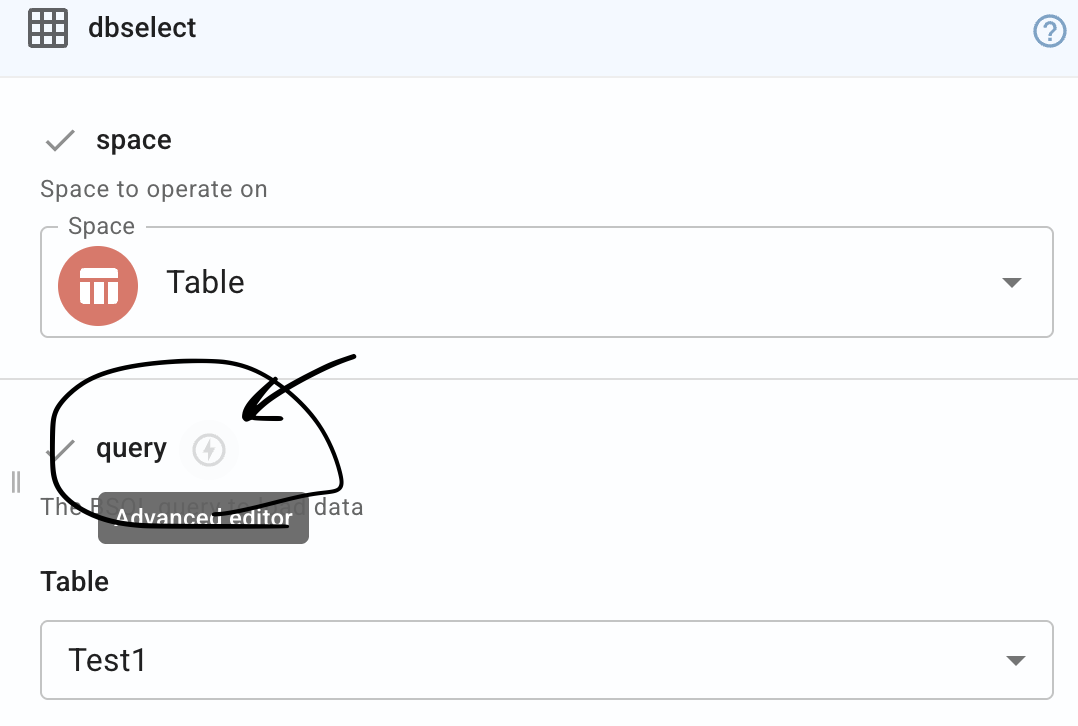
The best way to do this is with the advanced BSQL editor in the Data Blaze read command. You can use the "ILIKE" keyword to search for cell values that match your input (case insensitive), with "%" that serves as a wildcard character. You can read more about it in this post here and BSQL in general here
{formtext: name=search_term}
{dbselect: SELECT `Group 1`, `Group 2`, `Group 3`, `Group 4`, `Drop Down List`, rowid() AS `Row ID`
FROM Test1
WHERE
`Group 1` ILIKE {=search_term} & "%" OR
`Group 2` ILIKE {=search_term} & "%" OR
`Group 3` ILIKE {=search_term} & "%" OR
`Group 4` ILIKE {=search_term} & "%" OR
`Drop Down List` ILIKE {=search_term} & "%"; space=5AJBAXeRbYfltncMHD0Ge9; menu=no; name=filtered_results; multiple=yes}
Group 1 Group 2 Group 3 Group 4 Drop Down List
{repeat: for row in filtered_results}
{=row["group 1"]} {=row["group 2"]} {=row["group 3"]} {=row["group 4"]} {=row["drop down list"]}{endrepeat}
This screenshot shows how I added the rows to a table (this wasn't preserved in the shared snippet above)
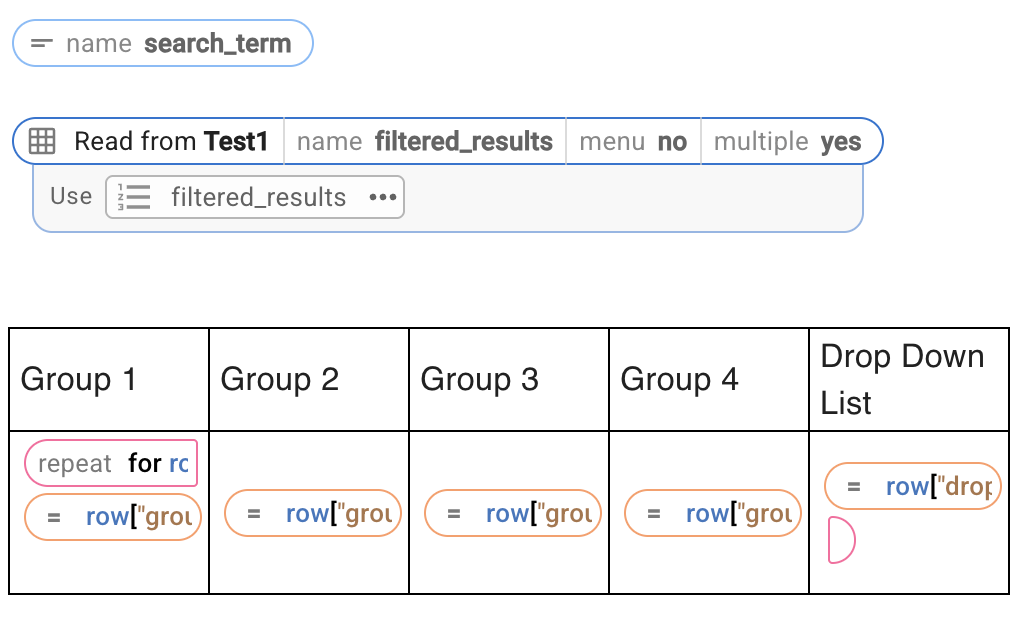
You will need to update the query itself to fit your table and rows, but the structure will stay the same. Let me know if you have any questions! Here is how you access the advanced editor to paste the query I shared:
Best regards,
Alexander