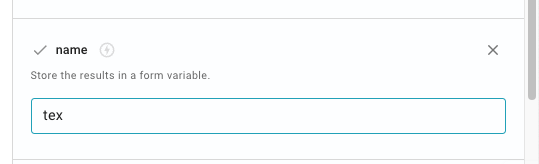
When you click on the command chip, there will be few options in the right sidebar. One of them is the name property. You can put your variable name there, as shown in this image:
Then it will work as expected. Btw, have you checked our AI Snippets feature?
Hey folks! We are trying to make it easy and flexible to use AI in your Text Blaze snippets command pack , API calls ), then we especially look forward to hearing from you! this Gallery link
For customized help, please email us at support@blaze.today , and let us know your workflow.
It is hopefully much easier to use and it also comes bundled with your existing Text Blaze subscription. Let me know if it works for you.